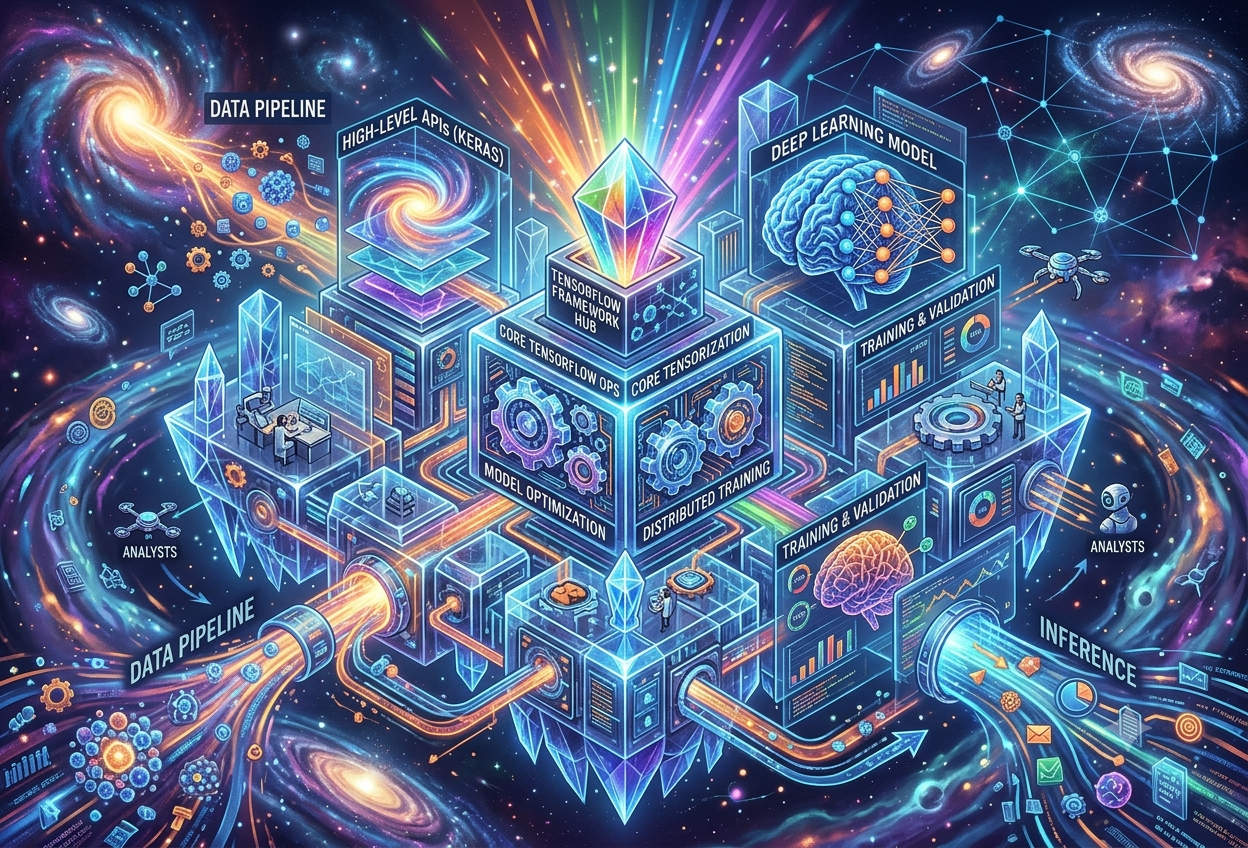
TensorFlow & Keras
What Are TensorFlow & Keras?
Picture a car. Underneath the hood sits a powerful, complicated engine full of pistons, fuel lines, and wiring — that engine is TensorFlow. Up front sits a simple steering wheel, a pedal, and a dashboard that lets anyone drive the car without understanding a single piston — that friendly control panel is Keras. Together, they let people build “thinking” computer programs without needing to be an engine mechanic.
“Every TensorFlow user should use the Keras APIs by default.”— Official TensorFlow Documentation
In more exact terms, TensorFlow is a free, open-source software library built for machine learning and, especially, deep learning — a more advanced branch of artificial intelligence that uses layered, brain-inspired structures called neural networks. Keras, meanwhile, is a friendly, high-level interface that sits on top of TensorFlow, turning what would otherwise be dozens of complicated lines of mathematical code into just a handful of clear, readable instructions.
Deep learning itself is a way of training computers to recognise patterns by feeding them enormous piles of examples — thousands of cat photos, millions of sentences, years of sensor readings — until the computer starts noticing the patterns on its own, the same way a child starts recognising letters after seeing them written out hundreds of times. TensorFlow and Keras are the tools that make building that kind of pattern-recognising system practical for ordinary developers, not just research scientists.
Imagine you wanted to build a robot that could tell the difference between a drawing of a cat and a drawing of a dog. TensorFlow is like a giant box of incredibly powerful LEGO bricks that can build absolutely anything, but the instructions are written in a very technical language. Keras is like a friendly helper who hands you the right bricks in the right order and tells you exactly where to click them together, so you can build your cat-or-dog robot in an afternoon instead of a year.
Where They Came From
Both tools trace back to the same place and roughly the same moment in history. TensorFlow was built by the Google Brain team and made open-source to the public in November 2015, under the Apache 2.0 licence — a legal arrangement that lets absolutely anyone use, modify, and even sell software built with it, for free. Keras was created that same year, in 2015, by a Google engineer named François Chollet, originally as an independent project named after part of a research effort called ONEIROS.
For its first couple of years, Keras was deliberately built to be flexible about which underlying engine it used — it could run on top of TensorFlow, but also on alternatives such as Theano or Microsoft’s CNTK. That changed in 2019, when Google released TensorFlow 2.0 and officially folded the Keras API directly into the TensorFlow project itself, promoting it as the standard, recommended way to build models on the platform. This integrated version is commonly called tf.keras.
Two Names, One Close-Knit Family
It helps to think of TensorFlow and Keras less as two separate, competing products and more as two layers of the very same family. TensorFlow is the comprehensive, end-to-end platform: it handles the raw mathematics, talks directly to graphics chips and specialised hardware, and manages everything from training a model to actually serving it to millions of users. Keras is the human-friendly layer of that platform, designed specifically to make the everyday tasks of defining, training, and testing a neural network as quick and painless as possible.
The complete engine — handles computation, hardware acceleration, scaling, and deployment across servers, browsers, and mobile devices.
The friendly steering wheel — a clean, readable interface for defining and training models, designed for speed of human understanding.
The combined, default experience most developers use today — Keras simplicity, backed by TensorFlow’s full production power.
Why TensorFlow & Keras Matter So Much
Before frameworks like these existed, building even a simple neural network meant writing tens or hundreds of lines of dense mathematical code by hand, just to achieve the most basic task. Between 2015 and 2019, this was the everyday reality for anyone working with the available mathematical libraries — the focus was on raw research flexibility and speed, not on making life easy for the person typing the code.
Keras changed that story by offering a clean, simple application programming interface that allowed a standard deep learning model to be defined, trained, and evaluated in just a handful of lines. TensorFlow, in turn, gave that simplicity somewhere powerful to run — a system capable of training on everyday laptops, but also scaling up to clusters of specialised processors when a problem becomes too large for any single machine to handle.
Why Speed of Building Actually Matters
This is not just a convenience for hobbyists. Faster, simpler tools mean more people — students, small businesses, researchers in fields outside computer science — can experiment with deep learning, test ideas, and discover what works without first investing years in mathematical training. Lowering that barrier has a multiplying effect: more experiments, more ideas tested, faster overall progress for the entire field.
Solving Real Problems at Massive Scale
TensorFlow was deliberately designed to resolve practical, real-world machine learning challenges rather than purely academic ones. Globally recognised companies across very different industries — Airbnb, Coca-Cola, Spotify, Lenovo, and PayPal among them — have used it for tasks including fraud detection, proof-of-purchase verification, and image processing. Keras, for its part, has been chosen by organisations such as NASA, YouTube, and Waymo, precisely because it lowers the mental overhead on developers while still delivering the performance and scalability serious engineering teams require.
When a tool ends up running inside the systems that power autonomous vehicles, video platforms watched by billions, and space research, the cost of a misunderstanding or a careless bug rises sharply. This is exactly why both projects invest so heavily in clear documentation, consistent design patterns, and a five-step model life-cycle that barely changes no matter what kind of neural network is being built — a theme the next section explores in depth.
From Research Toy to Production Backbone
Perhaps the most telling sign of how far both tools have travelled is how thoroughly the old “research toy versus production tool” divide has dissolved. Frameworks once associated mainly with academic experimentation now sit underneath some of the highest-traffic, highest-stakes software on the planet, while remaining simple enough that a motivated teenager can train a working image classifier over a single weekend.
“Keras enables high-velocity development via an obsessive focus on great UX, API design, and debuggability — while remaining a battle-tested framework chosen by over two and a half million developers.”
— Paraphrased from the Keras Project’s Own DescriptionHow TensorFlow & Keras Actually Work
To understand what makes TensorFlow tick, it helps to understand its name. Everything happening inside TensorFlow revolves around two ideas: tensors, which are the data, and the flow of those tensors through a structured set of operations.
What Is a Tensor?
A tensor is simply a container for numbers, organised into a grid of any number of dimensions. A single number on its own is the simplest possible tensor. A row of numbers is a slightly bigger tensor. A grid of numbers, like a spreadsheet, is bigger still. Stack several of those grids together — for example, the red, green, and blue colour values of every pixel in a photograph — and the result is a more complex, multi-dimensional tensor. TensorFlow accepts data in this tensor form and is built to move and transform tensors with extreme efficiency, whether on an ordinary processor, a graphics card, or specialised AI hardware.
Think of a tensor like a set of nested egg cartons. One egg by itself is the simplest case. A single carton full of eggs is a bigger version. A whole shelf stacked with cartons is bigger again. A tensor is just a fancy word for “a container of numbers that can be nested as many layers deep as you need” — and TensorFlow’s entire job is moving those egg cartons around super fast and doing maths on every egg inside them at once.
The Graph: A Flowchart for Maths
TensorFlow organises its calculations using something called a computational graph. Picture a flowchart where each box, called a node, performs one mathematical operation — adding two numbers, multiplying a tensor by a weight, applying an activation function — and arrows, called edges, show how data flows from one box into the next. Building a deep learning model means assembling a long chain of these connected operations, with raw data entering at one end and a prediction emerging at the other.
Two Styles of Building the Graph
Historically, TensorFlow built this graph in a static way — the entire network architecture had to be fully defined upfront, before a single piece of training data ever entered the system, after which the whole script was compiled into highly optimised low-level code. This made the system extremely fast and scalable, but harder to inspect and debug step by step. Modern TensorFlow, through its eager execution mode, also supports a more dynamic, line-by-line style, similar to ordinary Python, which makes development and debugging noticeably friendlier than in the framework’s earlier years.
Keras: Layers In, Predictions Out
Where TensorFlow thinks in terms of low-level operations and graphs, Keras thinks in terms of layers and models. A layer is a simple, well-defined transformation that takes a tensor in and produces a tensor out — for example, a layer might take in raw pixel values and output a smaller set of detected visual features. A model, in Keras terms, is simply an organised stack — or more technically, a directed graph — of these layers, chained together so that data flows neatly from the first layer to the last.
A single building block that performs one transformation on its input tensor and passes the result onward.
Building BlockA complete, organised stack of layers, connected from the first input all the way through to the final prediction.
StructureA formula measuring how far off a model’s predictions are from the true answers — the number the model tries to shrink.
MeasurementThe algorithm responsible for adjusting the model’s internal numbers to gradually reduce the loss over time.
EngineTensorFlow moves and transforms tensors through a computational graph at high speed and at any scale; Keras gives developers a clean, layer-based vocabulary for describing exactly what that graph should look like, without forcing them to write the low-level graph instructions themselves.
How TensorFlow & Keras Fit Together
A common point of confusion for newcomers is whether TensorFlow and Keras are rivals, the same thing, or something else entirely. The honest answer has actually changed over time, and understanding that history clears up almost all the confusion.
Two Separate Projects Launch
TensorFlow is open-sourced by the Google Brain team. In the same year, Keras is released independently by François Chollet, designed to run on top of several possible backend engines.
Keras Joins the TensorFlow Family
In mid-2017, Keras is adopted and integrated into TensorFlow, becoming accessible through a new tf.keras module, while still remaining usable on its own as a standalone project.
TensorFlow 2.0 Makes It Official
Google releases TensorFlow 2.0 and formally declares tf.keras the default, recommended interface for almost all deep learning development on the platform.
Keras 3 Breaks Free Again
After months of public beta testing, Keras 3.0 launches as a full rewrite in November 2023, once again supporting multiple backends — this time TensorFlow, JAX, and PyTorch, plus OpenVINO for inference.
One Codebase, Any Engine
A model written using Keras 3 can be trained or run on TensorFlow, JAX, or PyTorch, simply by changing a single backend setting, without rewriting the model itself.
Why Keras Went Multi-Backend Again
Keras 3’s return to a multi-backend design was not nostalgia — it solved a real, practical problem. Internal benchmarking found that the JAX framework often delivered the fastest training and inference performance across GPUs, TPUs, and CPUs, though results genuinely varied from model to model. Rather than locking developers into one engine permanently, Keras 3 lets a team pick whichever backend performs best for their particular model, and switch later without rewriting their code from scratch.
What This Means in Practice
For almost everyone learning deep learning today, the practical reality is simple: writing import tensorflow as tf and then using tf.keras remains the most common, well-documented starting point, and any model built this way will run perfectly well. Developers who specifically want the flexibility to switch underlying engines later can install the standalone keras package and select a backend explicitly. Both paths use the exact same friendly Keras concepts of layers, models, and the familiar fit-evaluate-predict pattern explored throughout this guide.
Because of this layered history, you will encounter several closely related but distinct names in tutorials and documentation: “standalone Keras” (the original multi-backend project before 2017), “tf.keras” (the version bundled inside TensorFlow from 2017 onward), and “Keras 3” (the 2023 rewrite that is multi-backend once again). For a beginner, the safest mental shortcut is simply this: Keras is the vocabulary you write in, and TensorFlow (or another backend) is the engine quietly doing the work underneath.
The Building Blocks Inside the Toolkit
Both TensorFlow and Keras are really collections of smaller, specialised tools, each handling one piece of the overall journey from raw data to a working, deployed model.
The Core Keras Component APIs
Inside Keras, several smaller APIs work together, each responsible for a different stage of building and training a model.
Defines the individual tensor-in, tensor-out building blocks — convolutions, activations, pooling — that get stacked together to form a model.
Organises layers into a complete, trainable structure, supporting designs of varying complexity depending on the task at hand.
Supplies the algorithms — such as Adam, SGD, and RMSprop — that adjust a model’s internal numbers to gradually reduce error during training.
Provides the formulas, such as mean squared error or cross-entropy, that quantify exactly how wrong a model’s predictions currently are.
Tracks performance indicators during training and evaluation, such as accuracy, that help a human judge whether the model is improving.
Lets a developer schedule specific actions during training — saving checkpoints, stopping early, logging progress — without writing the training loop by hand.
The Wider TensorFlow Ecosystem
Beyond the core library, TensorFlow has grown into an entire family of specialised tools, each extending deep learning into a different environment.
TensorBoard
A built-in visualisation toolset that lets developers watch training progress, inspect model graphs, and diagnose problems through interactive charts rather than scrolling text logs.
TensorFlow Lite
A lightweight version built for mobile phones and embedded devices, compressing models so they run efficiently even on hardware with very limited memory and power.
TensorFlow.js
Brings TensorFlow’s capabilities directly into JavaScript, allowing models to train and run inside a web browser or a Node.js server with no separate backend required.
TensorFlow Extended (TFX)
An end-to-end platform for production machine learning pipelines, covering everything from data validation through to deployment and ongoing monitoring at scale.
The Three Pillars Behind Keras 3
Modern Keras 3 organises its internal architecture around three main pillars that work together regardless of which backend is chosen underneath: Layers, the composable building blocks already introduced; Models, the high-level structures that organise those layers into something trainable; and Trainers, the backend-specific machinery that actually runs the training loop on whichever engine — TensorFlow, JAX, or PyTorch — has been selected.
Separating “what the model looks like” (Layers and Models) from “how the training actually executes” (Trainers) is what allows the exact same Keras code to run unmodified on completely different backend engines. A developer focuses entirely on model design; the framework handles the messy, hardware-specific details out of sight.
Three Ways to Build a Model
Keras offers not one but three distinct styles for defining a neural network’s structure, ranging from extremely simple to fully flexible. Almost every model, no matter how advanced, is built using one of these three approaches.
1. The Sequential API — Simple and Linear
The Sequential API is the most straightforward starting point, and the one almost every beginner meets first. It involves creating a single, linear stack of layers, added one after another from input to output, with each layer feeding directly into the next.
from tensorflow.keras import Sequential
from tensorflow.keras.layers import Dense

model = Sequential()
model.add(Dense(10, activation='relu', input_shape=(8,)))
model.add(Dense(8, activation='relu'))
model.add(Dense(1, activation='sigmoid'))
This style is limited to models with a single input path and a single output path, stacked in one straight line — but for a huge share of practical problems, that limitation never even comes up.
2. The Functional API — Flexible Connections
The Functional API trades a little simplicity for a lot of flexibility. Rather than just stacking layers, each layer is explicitly connected to the specific input it should receive, which means models can have multiple separate input paths, multiple separate output paths, or layers that share connections in more complex ways than a simple stack allows.
from tensorflow.keras import Model, Input
from tensorflow.keras.layers import Dense

x_in = Input(shape=(8,))
x = Dense(10, activation='relu')(x_in)
x_out = Dense(1)(x)

model = Model(inputs=x_in, outputs=x_out)
3. Model Subclassing — Full Control
The third and most advanced approach, model subclassing, lets a developer write a model almost entirely from scratch, defining every detail of how data should move through it manually. This level of control is rarely needed for everyday work, but it matters for cutting-edge research or highly unusual architectures that the other two styles simply cannot express.
| Approach | Best For | Flexibility |
|---|---|---|
| Sequential API | Simple, single-path models — the right starting point for beginners | Low |
| Functional API | Models with multiple inputs, multiple outputs, or shared layers | Medium-High |
| Model Subclassing | Research and highly custom architectures, rarely needed in practice | Maximum |
Sequential is like building a simple tower out of blocks, one on top of the other. Functional is like building a small house, where some rooms connect to more than one hallway. Subclassing is like being handed raw wood, nails, and a hammer and being told to build whatever shape you want, with no instructions at all — powerful, but only worth it for very unusual buildings.
Building Your First Model, Step by Step
Just as every Keras model is built from one of three structural styles, every Keras model also moves through the exact same five-step life-cycle on its way from a blank idea to a working predictor. Let us walk through that life-cycle using a classic beginner task: teaching a model to recognise handwritten digits.
Step 1 — Install & Confirm
Before writing any model code, TensorFlow must be installed, most commonly through pip, Python’s standard package manager.
pip install tensorflow
It is good practice to confirm the install worked before going further, by printing the installed version number.
import tensorflow as tf
print(tf.__version__)
Step 2 — Define the Model
Defining the model means choosing its layers and stacking them in order. Here, a Convolutional Neural Network, well suited to image data, is built using three pairs of convolution and pooling layers, followed by a flattening step and two final decision-making layers.
from tensorflow.keras import Sequential
from tensorflow.keras.layers import Conv2D, MaxPooling2D, Flatten, Dense, Dropout

model = Sequential()
model.add(Conv2D(32, (3,3), activation='relu', input_shape=(28,28,1)))
model.add(MaxPooling2D((2,2)))
model.add(Conv2D(64, (3,3), activation='relu'))
model.add(MaxPooling2D((2,2)))
model.add(Flatten())
model.add(Dense(128, activation='relu'))
model.add(Dropout(0.5))
model.add(Dense(10, activation='softmax'))
Step 3 — Compile the Model
Compiling tells the model three crucial things: which loss function to minimise, which optimiser algorithm should drive that minimisation, and which extra metrics to track for human readability along the way.
model.compile(
    loss='categorical_crossentropy',
    optimizer='adam',
    metrics=['accuracy']
)
Step 4 — Fit the Model
Fitting is the slow, heavy-lifting part of the entire process, where the model is actually shown training examples, makes a guess, checks how wrong it was using the loss function, and nudges its internal numbers slightly to do better next time — repeating this cycle across the whole dataset for a chosen number of epochs, with examples processed in small groups called batches.
model.fit(x_train, y_train, epochs=10, batch_size=128, validation_split=0.1)
Step 5 — Evaluate & Predict
Finally, the model’s true performance is checked on data it never saw during training, and then it is set loose on brand-new examples to produce real predictions.
loss, accuracy = model.evaluate(x_test, y_test)
print(f"Test accuracy: {accuracy:.4f}")

predictions = model.predict(x_test[:3])
In well under thirty lines, a complete image-recognition model was defined, compiled, trained, evaluated, and used to make predictions on brand-new handwritten digits — typically reaching around 98% accuracy on this classic task. No backpropagation formula was written by hand, no gradient was computed manually; every one of those steps was already built and waiting inside TensorFlow and Keras.
Seeing What Was Built
Keras provides a quick way to double-check a model’s structure before training even begins, simply by calling its summary method, which prints every layer, its output shape, and how many adjustable numbers — called parameters — it contains.
model.summary()
This single line has saved countless developers from training a model for hours, only to discover afterward that a layer’s shape was wrong all along.
Types of Neural Networks You Can Build
Not every problem looks the same, and neither does the best neural network for solving it. TensorFlow and Keras support several distinct families of network architecture, each shaped around a different kind of data.
Multilayer Perceptrons (MLPs) — The Standard Starting Point
A Multilayer Perceptron is the most fundamental kind of neural network: a fully connected stack of layers where every node in one layer links to every node in the next. MLPs are the natural choice for ordinary tabular data — the kind found in spreadsheets, with one column per feature and one row per example — and can tackle binary classification, multi-class classification, and regression with only small adjustments to the final layer.
One output node with a sigmoid activation, predicting the probability of belonging to one of two classes.
Yes / NoOne output node per class, using a softmax activation so the outputs sum to a clean set of probabilities.
Many ChoicesA single output node with no activation function, predicting a continuous numerical value directly.
A NumberConvolutional Neural Networks (CNNs) — Built for Images
Convolutional Neural Networks are purpose-built for image data, and their secret lies in two specialised layer types. Convolutional layers slide small filters across an image, learning to detect visual features such as edges, textures, and shapes, producing what are called feature maps. Pooling layers then shrink those feature maps down, keeping only the strongest signals and discarding the rest, which both speeds up computation and makes the network less sensitive to exactly where a feature appears in the frame.
Image classification, object detection, and facial recognition are all built on this convolution-and-pooling pattern, repeated several times in sequence to detect increasingly complex shapes — first edges, then textures, then whole recognisable objects.
Recurrent Neural Networks (RNNs) & LSTMs — Built for Sequences
Some data only makes sense in order — a sentence, a stock price history, a melody. Recurrent Neural Networks are designed specifically for this kind of sequential data, carrying a kind of “memory” forward from one step in the sequence to the next. The most popular variety, the Long Short-Term Memory network or LSTM, refines this idea with special internal gates that help it remember important information across longer stretches of a sequence without that memory fading out, which earlier, simpler recurrent designs often struggled with.
Translating sentences, summarising documents, and generating new, coherent text one word at a time.
Forecasting future values, such as monthly sales or temperature readings, from a history of past values.
Recognising spoken words, where the meaning of a sound depends heavily on the sounds that came just before it.
An MLP is like judging a fruit just by its photo — colour, shape, size, all at once. A CNN is like a detective who scans a whole photo for clues bit by bit, then puts the clues together. An RNN is like reading a story one word at a time and remembering what happened earlier in order to understand what is happening now — you cannot understand the ending of a story if you have forgotten the beginning.
Training, Overfitting & Tuning
Getting a model to run is one thing. Getting it to perform well on data it has never seen is a different challenge entirely, and most of the craft in deep learning lives in this second, trickier problem.
The Overfitting Trap
A model that simply memorises its training examples, rather than learning the underlying pattern behind them, is said to be overfitting. Such a model will look brilliant during training — confidently scoring near-perfect accuracy — while performing noticeably worse on any genuinely new data, the same way a student who memorised yesterday’s exact exam questions might fail completely when handed a new exam covering the same topic in different words.
Learning Curves: Watching the Warning Signs
A learning curve is simply a plot of how loss changes after every training epoch, drawn separately for the training data and a held-back validation set. Keras makes generating this plot straightforward: the fit function returns a history object containing exactly this record, which can be charted using Matplotlib in just a few lines.
history = model.fit(X, y, epochs=100, validation_split=0.3)

from matplotlib import pyplot
pyplot.plot(history.history['loss'], label='train')
pyplot.plot(history.history['val_loss'], label='val')
pyplot.legend()
pyplot.show()
Dropout: Deliberately Forgetting, on Purpose
Dropout is a clever and slightly counterintuitive technique for reducing overfitting. During training, a randomly chosen fraction of a layer’s outputs are temporarily switched off — “dropped out” — on each pass, forcing the rest of the network to avoid relying too heavily on any single pathway. This added unpredictability makes the model noisier during training but considerably more robust once it meets new, real-world data afterward.
Batch Normalisation: Keeping Numbers Well-Behaved
Batch normalisation rescales the outputs flowing between layers so they stay within a stable, consistent range throughout training. Without it, values can drift to extremes as they pass through many layers, slowing training down or even causing it to fail outright. With it, training typically becomes both faster and noticeably more stable.
Early Stopping: Knowing When to Quit
Early stopping automatically halts training the moment validation performance stops improving, rather than ploughing on for a fixed number of epochs regardless. Keras implements this through its callbacks system, which can also automatically save the single best version of a model encountered during the entire training run.
from tensorflow.keras.callbacks import EarlyStopping

stopper = EarlyStopping(monitor='val_loss', patience=5)
model.fit(X, y, epochs=100, validation_split=0.2, callbacks=[stopper])
✓ Signs of a Healthy, Well-Trained Model
- Training and validation loss fall together
- Accuracy on new data closely matches training accuracy
- Performance is stable across different random seeds
✗ Warning Signs Something Has Gone Wrong
- Validation loss rises while training loss keeps falling
- Huge accuracy gap between training and test data
- Performance swings wildly between training runs
Saving the Work
Once a model has been trained successfully, it can be saved to a file and reloaded later, without ever repeating the lengthy training process again — an essential step for moving a model out of an experiment and into a real, working application.
model.save('my_model.keras')

# later, in a different program
from tensorflow.keras.models import load_model
loaded_model = load_model('my_model.keras')
predictions = loaded_model.predict(new_data)
Where TensorFlow & Keras Are Actually Used
TensorFlow and Keras rarely announce themselves to an ordinary user, but they sit quietly behind an enormous share of the AI-powered features people interact with every single day.
Industry Applications
Autonomous Vehicles
Convolutional Neural Networks built with TensorFlow help self-driving systems recognise and interpret road objects in real time, supporting safer navigation and split-second decision-making.
Customer Sentiment Analysis
Keras-built recurrent networks and LSTMs read through customer reviews and support tickets, automatically judging whether the tone is positive, negative, or neutral at large scale.
Generative Models
Generative Adversarial Networks and Variational Autoencoders built on TensorFlow power image synthesis, style transfer, and visual-effects work, including realistic video generation.
Fraud Detection
Financial institutions train classification models to flag suspicious transactions, comparing new activity against the patterns of millions of past genuine and fraudulent cases.
Predictive Analytics & Forecasting
Regression and time-series models forecast customer purchase behaviour and optimise inventory, helping e-commerce platforms stock the right products at the right time.
Reinforcement Learning
Keras-based models train agents to make decisions through trial and error, applied to game-playing, robotics, and early-stage autonomous systems research.
Recognisable Names Behind the Curtain
A genuinely wide range of organisations rely on these tools in production. TensorFlow has been used by Airbnb, Coca-Cola, Spotify, Lenovo, and PayPal, across tasks spanning fraud detection, purchase verification, and image processing. Keras, meanwhile, has been adopted by NASA, YouTube, and Waymo — organisations chosen specifically because they need both serious performance and a development experience that does not slow their engineers down.
From a Browser Tab to a Spacecraft
Few technologies span quite this wide a range of deployment targets. The very same conceptual model — a stack of Keras layers — might end up running inside a phone app via TensorFlow Lite, inside a web page via TensorFlow.js with no server required at all, inside a massive cloud training cluster preparing the next version of a recommendation engine, or inside the kind of rigorously tested production pipeline that an organisation like NASA would trust with real mission-relevant data.
Despite their popularity, neither tool is “magic.” A model trained on biased, unrepresentative, or poor-quality data will faithfully reproduce those same flaws at scale — fast, confidently, and across however many users the system reaches. The framework only accelerates whatever pattern it is shown; the responsibility for showing it a fair, representative pattern still rests entirely with the humans building the system.
Education and the Next Generation of Builders
Beyond commercial deployment, both tools have become foundational to how deep learning is taught. Their consistent, predictable structure — define, compile, fit, evaluate, predict — lets an instructor introduce an entirely new kind of network in a single lesson, because nearly everything surrounding that new layer type stays exactly the same as in the lesson before it.
Pros & Cons of TensorFlow & Keras
Neither tool is flawless, and understanding their real limitations — not just their highlight reel — makes for far better decisions about when to reach for them.
TensorFlow: Strengths & Weaknesses
✓ Genuine Strengths
- Highly scalable across CPUs, GPUs, and TPUs alike
- Mature, production-grade serving and deployment tools
- Cross-platform: mobile, web, cloud, and embedded devices
- TensorBoard offers powerful visual debugging
- Huge collection of pre-trained models via TensorFlow Hub
- Backed by a very large, active community and Google
✗ Real Limitations
- Steeper learning curve than several alternatives
- Historically harder to debug than dynamic frameworks
- Heavier resource demands for large-scale models
- Frequent updates can occasionally break older code
- Some error messages are low-level and hard to interpret
Keras: Strengths & Weaknesses
✓ Genuine Strengths
- Extremely beginner-friendly, readable API
- Rapid prototyping — working models in just a few lines
- Multi-backend flexibility since the Keras 3 rewrite
- Clear documentation packed with worked examples
- Strong, supportive community and active development
- Wide range of ready-to-use pre-trained models
✗ Real Limitations
- Less low-level control than writing raw TensorFlow code
- No built-in visualisation comparable to TensorBoard
- Less well-suited to certain classical ML tasks, such as clustering
- Error messages can sometimes obscure the true root cause
- High-level abstraction trades away some fine-tuning ability
Think about training wheels on a bicycle. Keras is like having training wheels — you get moving fast, safely, and without falling over, but you cannot do tricky stunts. TensorFlow without Keras is like riding without training wheels — harder to learn, but capable of far more advanced moves once you have practised. Most riders, even very experienced ones, are perfectly happy keeping their training wheels on for almost everything they do.
When to Reach for This Pairing
- Your data is images, audio, video, or raw text — exactly the domain deep learning excels at.
- You need a model that scales — from a laptop prototype up to a cluster of GPUs without a rewrite.
- You want to deploy broadly — to mobile apps, web browsers, or production servers from one codebase.
- You are learning deep learning for the first time — and want the gentlest possible path in.
When to Look Elsewhere
- Your data is simple, structured, tabular data — classical machine learning tools are often faster and easier to interpret.
- You need absolute maximum research flexibility for highly unconventional architectures — some researchers favour PyTorch’s dynamic-graph style for this.
- Your dataset is genuinely tiny — deep learning generally needs considerably more examples than classical methods to perform well.
TensorFlow & Keras vs. PyTorch & Scikit-learn
TensorFlow and Keras are not the only names in this space. Understanding how they relate to their two biggest neighbours — PyTorch and scikit-learn — makes it much easier to pick the right tool for a given project.
TensorFlow/Keras vs. PyTorch
PyTorch, built by Meta’s AI research group and open-sourced in 2016, is TensorFlow’s closest rival in deep learning. The core technical difference lies in how each framework builds its computational graph. PyTorch uses a dynamic graph, assembled fresh each time the code runs — often called “define-by-run” — which makes it exceptionally easy to pause execution and inspect exactly what is happening at any given line, a major reason researchers gravitate toward it. TensorFlow historically used a static graph, defined entirely upfront and then compiled for speed, though its modern eager-execution mode has closed much of that historical debugging gap.
| Aspect | TensorFlow / Keras | PyTorch |
|---|---|---|
| Graph style | Historically static; now also supports eager execution | Dynamic, built fresh on every run |
| Best suited to | Production deployment, mobile & web serving | Research, rapid experimentation, custom architectures |
| Debugging | Improved greatly since TensorFlow 2.x | Naturally easy — inspect any variable mid-run |
| Deployment tooling | Very mature — TF Serving, TF Lite, TF.js | Improving steadily, often needs extra tooling |
| Community origin | Google Brain | Meta (Facebook) AI Research, now under the Linux Foundation |
A persistent but outdated belief claims PyTorch cannot be used in serious production environments. In reality, organisations including Meta now run dedicated PyTorch serving infrastructure handling billions of daily interactions — the old research-versus-production divide between these two frameworks has largely closed on both sides.
Deep Learning vs. Classical Machine Learning: TensorFlow/Keras vs. Scikit-learn
This comparison is really a comparison between two different categories of tool entirely, rather than two competitors solving the same problem. Scikit-learn focuses on classical machine learning algorithms — decision trees, support vector machines, linear models — that excel on structured, tabular data and run comfortably on an everyday laptop with no GPU required. TensorFlow and Keras focus on deep learning, where layered neural networks shine particularly on unstructured data such as images, audio, and free-form text, typically demanding far more data and computing power to reach their full potential.
It is entirely common, in fact, for a single real-world system to use both. A recommendation engine might use a Keras-built neural network to turn raw product images into a compact numerical “embedding,” and then hand those resulting numbers over to a scikit-learn algorithm for the final ranking decision — each tool doing the part of the job it is genuinely best suited for.
“Mastering fundamental tensor mathematics, rather than pledging permanent loyalty to one specific framework, is what lets a developer comfortably pivot whenever the technology standards inevitably change.”
— Common Engineering Wisdom on Framework SelectionThe Road Ahead for TensorFlow & Keras
More than a decade after their first release, TensorFlow and Keras continue evolving in step with a deep learning landscape that itself never stops shifting — most strikingly through the recent rebirth of Keras as a genuinely multi-backend framework.
Recent and Upcoming Developments
Keras 3’s distribution API is gradually expanding beyond its initial JAX implementation to cover TensorFlow and PyTorch as well, making large-scale, multi-device training easier to configure no matter which engine is chosen.
ScalingResearchers releasing a pretrained model in Keras 3 can now reach users of TensorFlow, JAX, and PyTorch simultaneously, rather than being limited to whichever single framework they originally chose to build in.
ReachA growing library of ready-made model architectures and pretrained checkpoints, usable across any supported backend, continues to lower the barrier for teams who want strong results without training from scratch.
EcosystemInternal benchmarking shows speedups ranging from roughly 20% to 350% are achievable simply by selecting the best-performing backend for a given model — without changing a single line of model-definition code.
SpeedRemaining Challenges
- Resource Demands: Training large, modern deep learning models still typically requires substantial computing power, keeping the most advanced work concentrated among organisations with access to serious hardware budgets.
- The Interpretability Problem: Even with tools like TensorBoard, explaining precisely why a deep neural network made a specific decision remains genuinely difficult, which matters enormously in regulated fields such as healthcare and finance.
- Keeping Pace with Rapid Change: The shift from Keras 2 to Keras 3, and the years of integration history before that, show how quickly the underlying landscape can shift — developers and educators alike must continually update their mental models.
- Balancing Simplicity and Control: Every layer of friendly abstraction that makes Keras approachable also hides a little more of the underlying machinery, a tension the project continues to navigate carefully.
TensorFlow and Keras succeeded not by being the only way to do deep learning, but by making deep learning dramatically more approachable without giving up the scale and performance serious production systems demand. The five-step life-cycle — define, compile, fit, evaluate, predict — learned once through this pairing, transfers directly into nearly every other deep learning tool a person might explore next, including the very frameworks Keras 3 now happily runs on top of.
Sources & References
Foundational overview comparing core advantages, disadvantages, and historical distinctions between the two tools.
Modern treatment of the Keras 3 multi-backend rewrite, official TensorFlow guidance, and current adopter organisations.
Hands-on CNN walkthrough using the MNIST handwritten digit dataset, covering the full model-building workflow.
Detailed pros, cons, and historical integration timeline, including the 2017 and 2019 Keras-TensorFlow merger milestones.
Current 2026 comparison covering dynamic vs static graphs, real production deployment scale, and common misconceptions.
Technical breakdown of tensors, computational graphs, and the core component APIs inside Keras.
In-depth guide to the 5-step model life-cycle, Sequential and Functional APIs, and MLP/CNN/RNN model types.
Reference guide to the three Keras model-building APIs and core deep learning terminology.
Use-case breakdown spanning NLP, generative models, predictive analytics, and architecture-level component comparisons.
Official announcement of the Keras 3 multi-backend rewrite, its design pillars, and cross-framework compatibility.