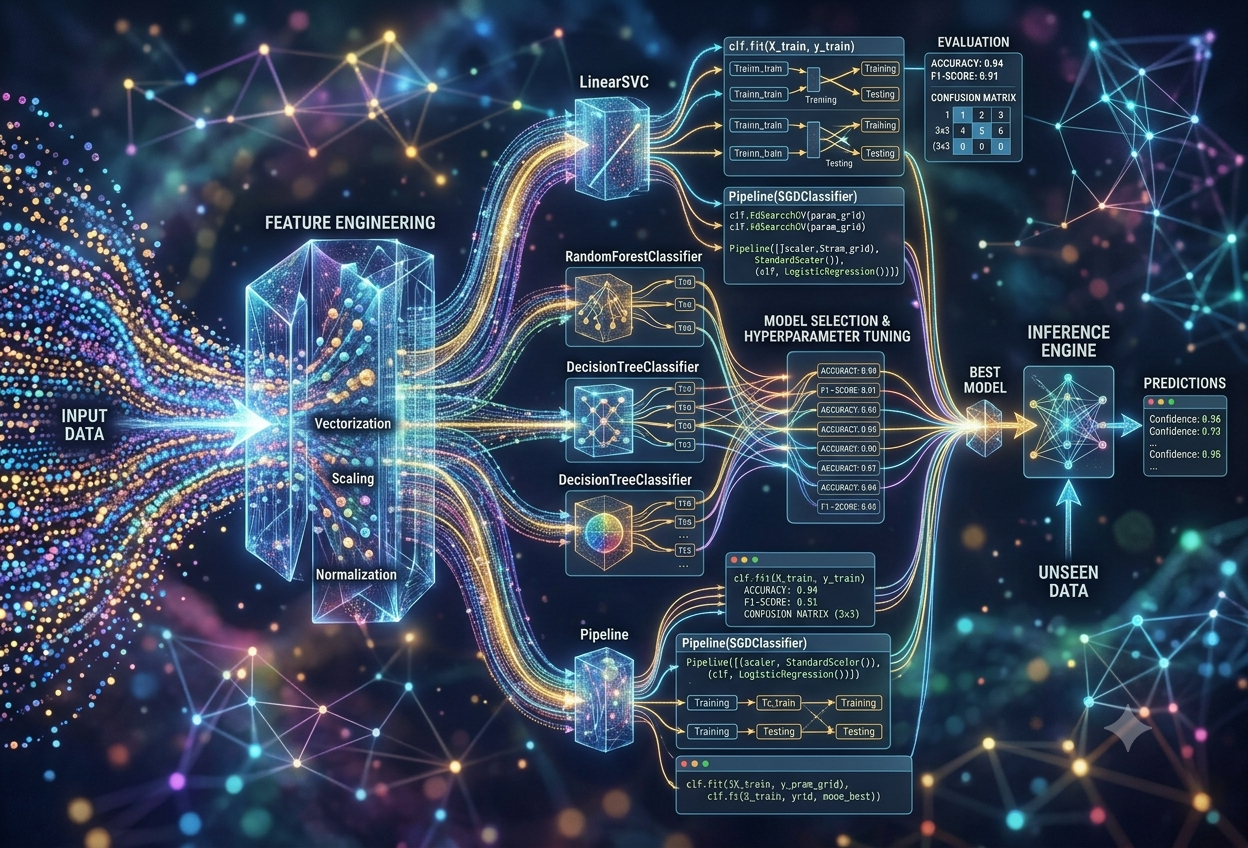
Scikit-learn — ML in Practice
What Is Scikit-learn?
Picture a giant toolbox in a workshop. Inside, every tool is labelled, every drawer works the same way, and you never have to wonder which way a screwdriver turns. Scikit-learn is that kind of toolbox, except instead of building furniture, it helps computers learn patterns from data and use those patterns to make predictions.
“Scikit-learn provides simple, efficient tools for predictive data analysis — accessible to everybody, and reusable in various contexts.”— Core Philosophy, Scikit-learn Project
In plainer terms, scikit-learn (often shortened to “sklearn” in code) is a free, open-source software library for the Python programming language. A “library” in programming is simply a bundle of ready-made code that other people have already written, tested, and shared, so that nobody has to start from a completely blank page. Scikit-learn’s particular bundle is built for machine learning — the branch of artificial intelligence where a computer studies examples and figures out the rules for itself, rather than being told the rules directly.
Scikit-learn sits on top of two other well-known Python libraries: NumPy, which handles fast number-crunching with grids of numbers called arrays, and SciPy, which adds scientific and engineering math on top of that. Think of NumPy and SciPy as the workshop’s electricity and plumbing — invisible, essential, and something scikit-learn quietly relies on every single time it runs.
Imagine you want to teach a computer to tell cats apart from dogs just by looking at pictures. Without scikit-learn, you would have to write hundreds of lines of complicated math yourself. With scikit-learn, you can use a tool that someone else already built and tested — a bit like using a pre-made cookie cutter instead of carving the shape of every cookie by hand. You still choose the dough and decide how many cookies to make, but the hard, fiddly shaping work is already done for you.
Where the Name Comes From
The name is a little puzzle once you break it apart. “SciKit” is short for “SciPy Toolkit” — a smaller add-on package built to extend SciPy in one particular direction. “Learn” refers to machine learning, the specific direction this toolkit was built for. Put the two halves together and you get “scikit-learn”: the SciPy toolkit for machine learning. In code, people almost always shorten this to sklearn, because Python’s rules for naming code modules do not allow hyphens.
The full project name, used in writing, documentation, and citations.
The shorthand used inside every Python import statement, since hyphens are not allowed in module names.
A nod to its origin as an add-on package that extended the older SciPy scientific computing library.
A Brief Origin Story
Scikit-learn began life in 2007 as a side project. A French software engineer and data scientist named David Cournapeau started building it during Google’s Summer of Code, a program that pairs students with open-source projects over a summer. What began as a small experiment slowly attracted other contributors who saw real promise in the idea. By 2010, a research team in France — Fabian Pedregosa, Gaël Varoquaux, Alexandre Gramfort, and Vincent Michel, working at the French Institute for Research in Computer Science and Automation — took over leadership of the project and released its first proper public version on the first of February that year.
Since that first release, scikit-learn has grown into one of the most relied-upon machine learning libraries in the world, maintained today by a rotating community of volunteer developers rather than a single company. It is registered as a fiscally sponsored project under NumFOCUS, a non-profit organisation that supports open scientific software, which helps keep the project independent and freely available to everyone.
What Makes It Different From Other AI Tools
Not all machine learning tools do the same job. Some libraries, such as PyTorch and TensorFlow, are built mainly for deep learning — the kind of AI that powers image recognition apps and chatbots, using huge networks of artificial “neurons” and often needing specialised graphics hardware to run quickly. Scikit-learn takes a different lane. It focuses on classical machine learning: algorithms that have been studied for decades, work brilliantly on the kind of structured, table-shaped data found in spreadsheets and databases, and run comfortably on an ordinary laptop with no special hardware required.
This focus is not a weakness — it is the entire point. A huge share of real business data lives in tables: customer records, sales figures, sensor readings, medical charts. For that kind of data, scikit-learn’s classical algorithms are often faster to build, easier to explain, and just as accurate as a much heavier deep learning system would be.
Why Scikit-learn Matters So Much
Before tools like scikit-learn existed, building a machine learning model meant writing the underlying mathematics yourself — linear algebra, calculus, and optimisation, all coded from scratch. That barrier kept machine learning locked away as a specialist’s craft. Scikit-learn helped knock that barrier down.
Implementing a machine learning algorithm from first principles is a computationally heavy and error-prone task. A single mistake in the underlying formula can quietly poison every prediction the model ever makes, and finding that mistake often requires exactly the kind of deep mathematical expertise the tool was supposed to help people avoid needing. Scikit-learn removes that risk by giving everyone access to algorithms that have already been written, peer-reviewed by the open-source community, tested against known results, and used in production by serious organisations for years.
It Made Machine Learning a Team Sport
Because scikit-learn hides the hardest mathematics behind a few simple commands, people who are not professional mathematicians — business analysts, biologists, journalists, students — can still build genuinely useful predictive models. This widened who gets to participate in machine learning enormously. A newcomer can now preprocess a dataset, train a model, and check whether it works well, all without first mastering calculus or matrix algebra in depth.
That accessibility has had a knock-on effect on real organisations. Companies across very different industries quietly run scikit-learn somewhere inside their systems. The insurer AXA uses it to help speed up car-accident compensation and catch insurance fraud. The peer-to-peer lender Zopa relies on it for credit risk modelling and fraud detection. The bank BNP Paribas Cardif uses scikit-learn pipelines to route incoming mail and manage model risk. J.P. Morgan applies it broadly across classification tasks in financial decision-making, and Booking.com uses it to power hotel recommendations, catch fraudulent reservations, and schedule customer support staff.
When a tool becomes this widely trusted, the stakes of getting it right go up. A bug or a misunderstanding inside a scikit-learn model is not just a classroom mistake — it could mean a fraud detector that misses real fraud, or a loan model that unfairly rejects a deserving applicant. This is exactly why scikit-learn invests so heavily in consistent design, careful testing, and one predictable way of doing things, which we will explore in the very next section.
The Bridge Between Data and Decisions
Raw data, on its own, does not do anything. A spreadsheet of ten thousand past loan applications does not “know” anything about which future applicants are risky. Machine learning is the process that turns that pile of past examples into a working rule for the future, and scikit-learn is, for an enormous slice of the world’s data, the bridge that makes that turning possible without years of specialised training.
“Scikit-learn lets practitioners move confidently from raw data to production-ready models — the difference between writing a model that scores well on a notebook and building a system that creates real business results.”
— Paraphrased from industry analysis of scikit-learn in production MLHow Scikit-learn Actually Works
Scikit-learn’s biggest superpower is not any single algorithm — it is consistency. Almost every tool inside the library, whether it predicts house prices or groups customers into segments, behaves according to the exact same small set of rules. Learn that pattern once, and you can use almost the entire library.
Every algorithm in scikit-learn is wrapped inside something called an estimator. An estimator is simply a Python object — a sort of labelled container — that knows how to do three things, always called in the same way, no matter which underlying algorithm is hiding inside it:
Imagine a toy that has exactly three buttons, no matter which toy you buy: a “Learn” button, a “Tidy Up” button, and a “Guess” button. Once you know how those three buttons work on one toy, you already know how they work on every other toy in the shop — even if the toys themselves do completely different things inside. That is exactly how scikit-learn’s tools behave.
The Four-Step Recipe
In day-to-day use, almost every scikit-learn project follows the same four-step recipe, regardless of whether you are predicting flower species, house prices, or customer churn:
- Import and create the model. Choose an algorithm — for example, a decision tree or a nearest-neighbours classifier — and create an empty version of it, ready to be trained.
- Fit the model to training data. Call
.fit(X_train, y_train), handing the model a set of example inputs (X_train) alongside the correct answers (y_train) so it can work out the underlying pattern. - Predict on new data. Call
.predict(X_test)on data the model has never seen before, and it will return its best guess for each new example. - Evaluate the result. Compare the model’s guesses against the true answers using a scoring tool, to find out just how good — or how shaky — those guesses really were.
# 1. Import and create the model
from sklearn.neighbors import KNeighborsClassifier
model = KNeighborsClassifier(n_neighbors=3)

# 2. Fit the model on training examples
model.fit(X_train, y_train)

# 3. Predict on data the model has never seen
predictions = model.predict(X_test)

# 4. Evaluate how good those predictions were
from sklearn.metrics import accuracy_score
accuracy = accuracy_score(y_test, predictions)
Features, Labels, and the Famous Iris Flowers
Two words come up constantly in scikit-learn’s world, so it is worth being completely clear about them. Features are the input measurements used to describe each example — think of them as the clues. Labels (sometimes called the “target”) are the correct answer the model is trying to learn to predict.
The single most famous teaching example, used in scikit-learn’s own documentation for years, is the Iris flower dataset. It contains 150 flowers, each described by four features — the length and width of its petals and sepals — alongside one label: which of three species the flower actually is. A model trained on this dataset learns to look at a new flower’s measurements and guess its species, the same way a botanist might, just using simple maths instead of years of field experience.
The measurements that go in — sepal length, sepal width, petal length, petal width. These are the “clues” the model is allowed to look at.
InputThe correct answer the model is trying to learn — in this case, which of three iris species the flower belongs to.
OutputThe portion of the data shown to the model during learning, so it can study real examples and their correct answers.
PracticeThe portion of data held back and never shown during training, used afterwards to honestly check how well the model generalises.
ExamSplitting Data Before Anything Else
One of the very first things any scikit-learn project does is split the available data into a training set and a testing set, almost always using a built-in tool called train_test_split. This matters more than it might first appear. If a model is tested on the very same data it learned from, it is a little like grading a student using the exact same questions they used to revise — of course they will look brilliant, but that tells you nothing about how they would perform on a brand-new exam.
A typical split sets aside somewhere between 20% and 40% of the data purely for testing, leaving the rest for training. Scikit-learn also lets you fix something called a “random state,” a starting number for its internal shuffling, so that the exact same split can be reproduced again later — an important habit for fair comparisons and trustworthy results.
The Building Blocks Behind Scikit-learn
Scikit-learn does not work alone. It is more like the visible top floor of a building, resting on a foundation of other carefully engineered tools underneath. Four pieces of that foundation matter most.
The Four Essential Components
Provides the “array” — a grid-shaped container for numbers — along with extremely fast operations for working on those grids. Almost every dataset that flows through scikit-learn is first turned into a NumPy array, because doing maths on a NumPy array is dramatically faster than doing the same maths with ordinary Python lists.
Builds on top of NumPy to add specialised scientific and engineering tools, including the optimisation routines, statistics, and linear algebra functions that many of scikit-learn’s algorithms quietly lean on while they are learning from data.
A plotting library used to turn columns of numbers into charts, scatter plots, and graphs. While not strictly required to train a model, it is the tool most commonly paired with scikit-learn to actually see what the data and the results look like.
Extends ordinary Python so that selected pieces of code can be translated into highly optimised C code before they run. The slowest, most repeated inner loops of scikit-learn’s algorithms are often written this way, which is a major reason the library can train models quickly despite being driven from friendly Python code on the surface.
Two More Tools You Will Meet Immediately
Outside scikit-learn’s own four pillars, two additional libraries appear in almost every real project alongside it. Pandas provides the “DataFrame,” a spreadsheet-like table structure that makes loading, cleaning, and exploring messy real-world files such as CSVs vastly easier than working with raw arrays. Joblib handles saving a trained model to disk and loading it back later, which matters enormously once a model needs to move from an experiment into a real, working application.
Because scikit-learn depends so closely on NumPy and SciPy, version mismatches between them can occasionally cause confusing errors. Keeping all three updated together, ideally inside an isolated project environment created with a tool like venv or conda, avoids the vast majority of these headaches before they start.
Preparing Your Data Before Training
No machine learning algorithm can work magic on messy ingredients. Real-world data almost always arrives lopsided, incomplete, or written in words rather than numbers — and before any model can learn from it, that data has to be cleaned up and reshaped. Scikit-learn calls this stage preprocessing, and it offers an entire toolkit dedicated to it.
Imagine trying to bake a cake using flour that still has the bag wrapped around it, eggs still in their box, and sugar mixed in with salt by mistake. You cannot just throw all that straight into the oven — you have to unwrap, separate, and measure everything first. Preprocessing is exactly that step for data: unwrapping it and getting every ingredient ready before the real “baking” — training the model — can begin.
Turning Words Into Numbers
Machine learning algorithms are fundamentally mathematical, which means they can only work with numbers — yet huge amounts of real data arrive as categories or text, such as a column listing “Red,” “Blue,” and “Green,” or “Cat,” “Dog,” and “Bird.” Scikit-learn provides two main tools for converting that kind of categorical data into numbers it can actually use.
Assigns each category a single whole number — for example, turning “cat,” “dog,” and “bird” into 0, 1, and 2. Best suited to categories that have a genuine natural order, like “Low,” “Medium,” and “High.”
LabelEncoderCreates a brand-new column for every category, filled with 1s and 0s to show presence or absence. Best for categories with no natural ranking, since it avoids implying an order that does not really exist.
OneHotEncoderPutting Numbers on the Same Scale
A second common problem is that different numeric features often live on wildly different scales. A person’s age might range from 0 to 100, while their annual income might range into the hundreds of thousands. Many algorithms quietly assume that bigger numbers mean a feature matters more, which would unfairly let income drown out age, even if age is actually the more important clue. Scikit-learn fixes this with feature scaling, most commonly using one of two tools: StandardScaler, which rescales every feature to have a similar average and spread, and MinMaxScaler, which squeezes every feature into a fixed range, typically between 0 and 1.
Handling Gaps in the Data
Real datasets are rarely complete. A customer record might be missing an age, or a sensor reading might have failed to log on a particular day. Scikit-learn’s SimpleImputer tool fills in these gaps automatically, commonly by inserting the average (mean) or middle (median) value for that column, so the rest of the algorithm has no empty boxes left to trip over.
Choosing Only the Features That Matter
More data is not automatically better. Extra, irrelevant columns can confuse a model, slow it down, and even hurt its accuracy. Feature selection is the process of keeping only the columns that genuinely help, using techniques such as recursive feature elimination, which repeatedly trains a model, drops the least useful feature, and trains again until only the strongest features remain — a bit like trimming a recipe down to only the ingredients that actually change the flavour.
Whatever scaling, encoding, or imputing values are learned, they must be learned only from the training data — never from the testing data. Letting any information from the test set sneak into these calculations is called data leakage, and it is one of the most common mistakes beginners make. A model that suffers from data leakage will look impressively accurate during testing and then disappoint badly once it meets truly new, real-world data.
The Algorithm Toolbox
Scikit-learn’s true reputation rests on the sheer breadth of algorithms it offers, all reachable through that same consistent fit-and-predict pattern. They fall into four broad families, each suited to a different kind of question.
“Which category does this belong to?” Predicts a label from a fixed set of choices, such as spam or not spam.
“What number should I expect?” Predicts a continuous value, such as a house price or a temperature.
“How should these naturally group together?” Finds hidden groupings with no correct answers supplied in advance.
Classification: Sorting Things Into Categories
Classification problems show up everywhere — deciding whether an email is spam, whether a tumour is benign, or which species a flower belongs to. Scikit-learn offers many different classification algorithms, and each one makes a different trade-off between simplicity, speed, and accuracy.
| Algorithm | How It Decides | Best Suited For |
|---|---|---|
| Logistic Regression | Draws a straight dividing line (or plane) between categories using a probability curve | Simple, fast baselines on roughly linear problems |
| K-Nearest Neighbours | Looks at the closest labelled examples and votes by majority | Smaller datasets with non-linear boundaries |
| Support Vector Machine | Finds the widest possible gap separating the categories | High-dimensional data, even with few examples |
| Decision Tree | Asks a sequence of yes/no questions about the features | Cases where a human needs to follow the reasoning |
| Random Forest | Combines the votes of many different decision trees | High accuracy with strong resistance to noisy data |
| Naive Bayes | Applies probability theory, assuming features act independently | Text classification, spam filtering |
| Gradient Boosting | Builds trees one at a time, each fixing the last one’s mistakes | Squeezing out maximum predictive accuracy |
✓ Strengths of Random Forest
- Generally high accuracy by averaging many trees
- Resistant to noisy or messy real-world data
- Reveals which features actually drove a decision
✗ Weaknesses of Random Forest
- Slower and heavier than a single decision tree
- Harder to explain any one specific prediction
- Can lean toward the majority class on lopsided data
Regression: Predicting a Number
Where classification sorts things into boxes, regression predicts an actual quantity — a price, a score, a measurement. The simplest and most famous example is linear regression, which tries to draw the single straight line that best fits a cloud of data points, then uses that line to predict new outcomes. Two close relatives, Ridge regression and Lasso regression, add a gentle mathematical penalty that discourages the model from relying too heavily on any one feature, which often makes predictions more stable on messy, real-world data.
Clustering: Finding Hidden Groups
Sometimes there is no “correct answer” column at all — just a pile of unlabelled examples, and a hunch that natural groups exist somewhere inside it. This is called unsupervised learning, and clustering is its most common task. K-Means, the best-known clustering algorithm, repeatedly assigns each data point to its nearest of several central points, then nudges those central points toward the middle of their assigned groups, until the groups settle into a stable shape.
Dimensionality Reduction: Simplifying Without Losing the Story
Some datasets have hundreds or even thousands of features, which can make patterns almost impossible to see and can slow algorithms down dramatically. Principal Component Analysis (PCA) compresses that overwhelming number of features down into a much smaller handful of new, combined features that still capture most of the original story — rather like summarising a long book into a tight paragraph that keeps the essential plot intact.
Imagine you took a hundred photographs of your room from every possible angle, and someone asked you to describe the room using just two photos instead. You would naturally pick the two angles that show the most useful information — maybe one from the doorway and one from above. PCA does something similar with data: it keeps the few “angles” (combinations of features) that show the most useful information and quietly drops the rest.
Building Your First Model, Step by Step
Reading about scikit-learn only goes so far. Let us walk through an actual, complete example from start to finish, using the same beginner-friendly Iris flower dataset that scikit-learn ships with out of the box.
Step 1 — Install Scikit-learn
Before writing any code, scikit-learn needs to be installed, which requires Python 3.11 or newer for the current release, along with NumPy and SciPy already in place. The most common way to install it is through pip, Python’s standard package manager:
pip install -U scikit-learn
Anyone using the Anaconda distribution of Python can instead reach for conda, which manages dependencies slightly differently:
conda install scikit-learn
Step 2 — Load a Dataset
Scikit-learn bundles several small, well-known datasets directly inside the library, which is perfect for learning. The Iris dataset loads with a single function call, immediately splitting itself into features (the measurements) and a target (the species label).
from sklearn.datasets import load_iris

iris = load_iris()
X = iris.data        # the four flower measurements
y = iris.target       # the species label, 0, 1, or 2

print("Feature names:", iris.feature_names)
print("Target names:", iris.target_names)
Step 3 — Split Into Training and Testing Sets
Next, the data is divided so the model can be trained on one portion and honestly tested on a separate, unseen portion. Setting test_size=0.3 reserves 30% of the flowers purely for testing.
from sklearn.model_selection import train_test_split

X_train, X_test, y_train, y_test = train_test_split(
    X, y, test_size=0.3, random_state=42
)
Step 4 — Choose and Train a Model
Now comes the heart of the process. Here, a K-Nearest Neighbours classifier is created and then trained by calling .fit() on the training data — the moment the algorithm actually studies the examples and starts learning the pattern.
from sklearn.neighbors import KNeighborsClassifier

knn = KNeighborsClassifier(n_neighbors=3)
knn.fit(X_train, y_train)
Step 5 — Make Predictions
With training complete, the model can now be handed data it has never seen and asked to make a guess.
y_pred = knn.predict(X_test)
print("First 5 predictions:", y_pred[:5])
print("First 5 actual values:", y_test[:5])
Step 6 — Evaluate the Model
Finally, the model’s guesses are compared against the true, correct answers to measure how well it actually performed.
from sklearn import metrics

accuracy = metrics.accuracy_score(y_test, y_pred)
print(f"Accuracy: {accuracy * 100:.2f}%")
In roughly fifteen lines of readable code, a complete machine learning model was loaded, trained, used to make predictions, and evaluated for accuracy. No calculus was written by hand, no distance formula was typed out manually — every one of those steps was already built, tested, and waiting inside scikit-learn.
Trying It on Brand-New Data
The real test of any model is using it on completely fresh examples it has never encountered in any form — not training, not testing, just new measurements from the real world.
new_samples = [
    [5.1, 3.5, 1.4, 0.2],   # looks like a setosa
    [6.3, 3.3, 6.0, 2.5],   # looks like a virginica
]

predictions = knn.predict(new_samples)
for p in predictions:
    print(iris.target_names[p])
Swapping the Algorithm Is Almost Free
Because every estimator follows the same shape, switching from K-Nearest Neighbours to a Random Forest costs almost nothing in code — only the model-creation line genuinely changes.
from sklearn.ensemble import RandomForestClassifier

clf = RandomForestClassifier(n_estimators=100, random_state=42)
clf.fit(X_train, y_train)
accuracy = clf.score(X_test, y_test)
That single swapped line is the real-world payoff of scikit-learn’s consistent design. Comparing five different algorithms on the same problem becomes a matter of changing one line five times and comparing the scores, rather than rewriting an entire program from scratch for each attempt.
Measuring Success: Evaluation Metrics
A model that simply “works” is not the same as a model that works well. Scikit-learn supplies an entire library of metrics to measure performance honestly — and choosing the right metric for the right problem is one of the most important skills any practitioner can develop.
Imagine a fire alarm that almost never goes off — it would score very high on “being quiet,” but that is obviously not what makes a good fire alarm. A model that predicts “no churn” for every single customer might be right 80% of the time if only 20% of customers actually leave, yet it would be completely useless, because it never once spots the customers who are about to walk away. Picking the right way to grade a model matters just as much as building the model itself.
Metrics for Classification
When a model predicts categories rather than numbers, several different metrics each tell a slightly different part of the story.
The simple proportion of correct predictions out of all predictions made. Easy to understand, but misleading on lopsided datasets.
Out of everything the model flagged as positive, how many actually were? High precision means few false alarms.
Out of everything that truly was positive, how many did the model actually catch? High recall means few missed cases.
A single balanced number that blends precision and recall together, useful when both false alarms and missed cases matter.
from sklearn.metrics import classification_report, confusion_matrix

print(confusion_matrix(y_test, y_pred))
print(classification_report(y_test, y_pred))
Metrics for Regression
When a model predicts a number rather than a category, a different family of metrics applies, each measuring “how far off” the predictions were in a slightly different way.
| Metric | What It Measures |
|---|---|
| MAE | The average size of the errors, ignoring whether they were too high or too low |
| MSE | The average of the squared errors, which punishes big mistakes much more harshly than small ones |
| RMSE | The square root of MSE, bringing the error back into the same units as the original prediction |
| R² Score | The share of the pattern in the data that the model successfully explains, from 0 (none) to 1 (all of it) |
Cross-Validation: A Fairer Way to Test
A single train-test split has a weakness: the result can shift depending on exactly which examples happened to land in the test set. K-fold cross-validation solves this by slicing the data into several equal “folds,” training on all but one fold, testing on the fold left out, and repeating the process so that every fold gets its turn as the test set. The final score is an average across every round, giving a far more trustworthy estimate of how the model is likely to perform on data it has never seen.
In a fraud-detection problem, where fraud might be less than 1% of all transactions, a model can score over 99% accuracy simply by predicting “not fraud” every single time — while catching zero actual fraud. This is precisely why precision, recall, and the AUC-ROC curve, which visualises the trade-off between catching real positives and triggering false alarms, matter so much more than plain accuracy whenever a dataset is imbalanced.
Pipelines and the Road to Production
There is a real gap between a model that scores well inside a notebook and a model that can be trusted to run, unattended, inside a real business system. Closing that gap is what separates a hobbyist project from production-ready machine learning, and scikit-learn provides two specific tools that do most of the heavy lifting: the Pipeline and the saved model.
Why Manual Steps Are Risky
A great many early machine learning projects quietly fail because their preprocessing steps are scattered and inconsistent. If scaling, encoding, and imputing are each done by hand, in separate pieces of code, it becomes alarmingly easy to accidentally let information from the test set leak into the training process — for example, by calculating an average using the entire dataset before splitting it. The result is a model that looks excellent during testing and performs noticeably worse once it meets genuinely new data.
The Pipeline: One Object, Every Step
A Pipeline bundles every preprocessing step and the final model into a single object, which can then be trained, used to predict, and saved exactly as if it were one ordinary estimator. This keeps the entire process — scaling, encoding, modelling — locked together in the correct order, every single time.
from sklearn.pipeline import Pipeline
from sklearn.preprocessing import StandardScaler
from sklearn.linear_model import LogisticRegression

pipe = Pipeline([
    ('scaler', StandardScaler()),
    ('classifier', LogisticRegression())
])

# the pipeline behaves like a single estimator
pipe.fit(X_train, y_train)
predictions = pipe.predict(X_test)
Combining Different Columns With ColumnTransformer
Real datasets rarely contain only one kind of column. A ColumnTransformer lets numeric columns be scaled and categorical columns be encoded simultaneously, all inside the same pipeline, each treated with the appropriate tool for its type.
Tuning the Settings: Hyperparameters
Most algorithms have internal settings — called hyperparameters — that are not learned from the data but instead chosen by the person building the model, such as how many neighbours a KNN model should consider, or how deep a decision tree is allowed to grow. GridSearchCV automates the search for the best combination of these settings by systematically trying every option in a defined grid and keeping whichever combination scores best under cross-validation. RandomizedSearchCV offers a faster alternative for larger search spaces, sampling a limited number of random combinations rather than testing every single one.
from sklearn.model_selection import GridSearchCV
from sklearn.svm import SVC

param_grid = {
    'C': [0.1, 1, 10, 100],
    'kernel': ['rbf', 'linear']
}

grid = GridSearchCV(SVC(), param_grid, cv=5)
grid.fit(X_train, y_train)

print("Best parameters:", grid.best_params_)
Saving a Trained Model for Later
Training a model is pointless if it has to be retrained from scratch every single time it is needed. Joblib, a tool closely tied to scikit-learn, saves a fully trained pipeline to a file on disk, which can later be loaded inside a web application, a scheduled batch job, or a live API, ready to make predictions instantly without retraining.
import joblib

# save the trained pipeline to disk
joblib.dump(pipe, 'model.pkl')

# later, in a different program, load it back instantly
loaded_pipe = joblib.load('model.pkl')
loaded_pipe.predict(new_data)
A disciplined structure — proper train/test separation, a Pipeline that prevents leakage, cross-validation for honest scoring, hyperparameter tuning, and a saved model ready for deployment — is what allows the very same scikit-learn skills used in a classroom exercise to scale up into systems that real banks, hospitals, and retailers depend on every day.
Where Scikit-learn Is Actually Used
Scikit-learn does not live only in classrooms and tutorials. It quietly powers decisions across finance, healthcare, retail, cybersecurity, and science — almost always working with the kind of structured, tabular data that fills ordinary spreadsheets and databases.
Industry Applications
Email Spam Detection
Classification algorithms such as logistic regression or Naive Bayes learn to sort incoming mail into “spam” and “not spam,” typically validated using cross-validation across several splits of historical email data.
Predicting House Prices
Linear regression estimates a property’s likely sale price from features like location, size, and amenities, often paired with visualisation libraries such as Matplotlib to help buyers and analysts interpret the results.
Cybersecurity Anomaly Detection
K-Means clustering groups normal network behaviour together, making any data point that falls far outside those clusters stand out as a potential intrusion or unauthorised access attempt worth investigating.
Credit Risk Assessment
Random Forest models rank which factors — credit history, income, debt-to-income ratio — matter most when deciding loan approvals and interest rates, helping lenders make more consistent decisions.
Genomics Research
Principal Component Analysis compresses enormous genetic datasets down to a manageable number of dimensions, helping researchers spot meaningful patterns without being overwhelmed by statistical noise.
Forest & Ecology Monitoring
Decision tree models have been used to flag beech trees at risk of leaf disease across Eastern U.S. forests, analysing tree age, location, and leaf condition to guide protective action.
The Companies Behind the Curtain
Scikit-learn rarely appears in a press release, but it is working behind the scenes at organisations whose names are instantly familiar. The insurer AXA uses it to accelerate car-accident compensation and detect insurance fraud. Booking.com applies it to hotel recommendations, fraudulent-reservation detection, and customer-support scheduling. J.P. Morgan leans on it broadly for classification tasks across financial decision-making, while the music platform Spotify uses it inside parts of its recommendation systems. Smaller, more specialised users include Solido, which applies it to rare-event estimation in semiconductor chip design, and AWeber, which uses it to manage large-scale email marketing campaigns.
Where Beginners Actually Start
For anyone learning, the friendliest entry points usually involve clean, well-documented, publicly available datasets paired with a clear business-style question. Predicting which subscription customers are likely to cancel (“churn”), classifying patients into heart-disease risk categories, estimating house prices from square footage and location, filtering SMS text messages as spam, and grouping shoppers by purchasing behaviour are five of the most common starting projects, each one teaching a different core scikit-learn skill — classification, evaluation, regression, basic natural language processing, and unsupervised clustering, respectively.
The once-popular Boston Housing dataset, used for years to teach regression, has since been removed from scikit-learn entirely because one of its original features encoded a now widely-criticised racial assumption from the 1970s. Modern tutorials and courses have moved on to alternatives such as the Ames Housing dataset, which avoids that problem while still offering rich, realistic features to practise with.
Education and Research
Beyond commercial use, scikit-learn’s clarity has made it the default teaching tool in countless university courses, online bootcamps, and self-study guides. Its consistent interface and clear documentation let an instructor introduce a brand-new algorithm in a single lecture, because the surrounding code — load data, split, fit, predict, evaluate — barely has to change at all between lessons.
Pros & Cons of Scikit-learn
No tool is perfect for every job, and scikit-learn is no exception. Understanding what it does brilliantly — and where it genuinely struggles — is the difference between using it wisely and being surprised by its limits later.
✓ Genuine Strengths
- Consistent fit-predict pattern across nearly every algorithm
- Gentle learning curve, friendly to true beginners
- Runs comfortably on an ordinary laptop, no GPU required
- Excellent, example-rich official documentation
- Built-in cross-validation and hyperparameter tuning tools
- Free, open-source, and commercially usable under BSD-3
- Huge, active community offering support and improvements
- Integrates smoothly with Pandas, Matplotlib, and NumPy
✗ Real Limitations
- Not built for deep learning or large neural networks
- Limited native GPU acceleration for huge datasets
- Struggles with data too large to fit in memory at once
- Weak built-in support for image, audio, or video data
- No native support for distributed, multi-machine training
- Some algorithms can be slow to train on very large tables
- Ensemble models like Random Forest can be hard to interpret
A Closer Look at Specific Trade-offs
Different algorithms inside scikit-learn carry their own individual pros and cons too, and choosing wisely between them matters as much as choosing scikit-learn itself.
| Algorithm | Biggest Advantage | Biggest Drawback |
|---|---|---|
| Logistic Regression | Simple, fast, and easy to interpret | Assumes a roughly straight-line relationship |
| K-Nearest Neighbours | No training phase at all, very intuitive | Slow to predict on large datasets |
| Support Vector Machine | Excellent with high-dimensional data | Can be slow to train, tricky to tune |
| Decision Tree | Easy for humans to follow and explain | Prone to overfitting if grown too deep |
| Random Forest | High accuracy, resistant to noisy data | Heavier computation, harder to interpret |
| Naive Bayes | Fast, works well on text and small data | Assumes features are independent, often untrue |
| Gradient Boosting | Often the most accurate of the bunch | Easy to overfit, many settings to tune |
Think of scikit-learn like an excellent set of hand tools — a hammer, a screwdriver, a wrench. They are brilliant for building a treehouse, but nobody would try to build a skyscraper using only hand tools. For truly massive jobs — recognising faces in millions of photos, or understanding spoken language — engineers usually reach for bigger machinery instead, which is exactly where deep learning tools take over.
When Scikit-learn Is the Right Choice
- You are learning machine learning fundamentals and want a forgiving, well-documented starting point.
- Your dataset fits comfortably in memory on a normal computer, without needing a server farm.
- Your data is structured and tabular — spreadsheets, database tables, sensor logs — rather than raw images or audio.
- You need quick, reliable prototyping before committing to a heavier framework.
- Interpretability matters — you need to explain to a colleague or a regulator exactly why the model made a decision.
When To Look Elsewhere
- Your data is images, audio, or raw text at scale — deep learning frameworks generally perform far better here.
- Your dataset is too large for one machine’s memory — distributed tools are built for that scale.
- You specifically need GPU-accelerated training for very large neural networks.
Scikit-learn vs. Deep Learning Frameworks
A question that comes up constantly: is scikit-learn “better” or “worse” than tools like TensorFlow and PyTorch? The honest answer is that they are built for different jobs, and the right choice depends entirely on the problem in front of you.
| Feature | Scikit-learn | TensorFlow | PyTorch |
|---|---|---|---|
| Primary focus | Classical machine learning | Deep learning | Deep learning |
| Learning curve | Gentle | Steep | Moderate |
| Performance on huge data | Limited | Excellent | Excellent |
| GPU acceleration | Limited | Extensive | Extensive |
| Neural network support | Basic | Advanced | Advanced |
| Best for | Tabular data, prototyping | Production deep learning | Research, experimentation |
Keras: A Related but Different Tool
Keras is sometimes mentioned in the same breath as scikit-learn, but it serves a distinctly different purpose. Keras is a high-level interface for building neural networks, typically running on top of TensorFlow, and it specialises in deep learning architectures such as convolutional and recurrent neural networks. Scikit-learn, by contrast, focuses on traditional algorithms such as decision trees, support vector machines, and linear models — the two tools complement rather than compete with each other.
It Is Common to Use Both Together
In real production systems, it is entirely normal for scikit-learn and a deep learning framework to work side by side. A company might use a deep learning model to convert raw product photographs into a set of numerical “embedding” features, and then hand those resulting numbers over to a scikit-learn classifier or clustering algorithm for the final business decision — combining the strengths of both worlds rather than treating the choice as all-or-nothing.
“Neither is inherently better — they serve different purposes. Choose scikit-learn for classical machine learning tasks and a deep learning framework for true deep learning projects.”
— Common Industry Guidance on Tool SelectionThe Road Ahead for Scikit-learn
Nearly two decades after its first lines of code were written, scikit-learn shows no signs of standing still. The project continues to evolve in ways that keep it relevant even as the wider machine learning landscape shifts dramatically around it.
Recent and Upcoming Developments
Recent releases introduced native Array API support, allowing certain computations to run on GPU-backed arrays from libraries like PyTorch and CuPy — a step toward narrowing scikit-learn’s historical GPU gap.
PerformanceNewer versions have added experimental and then fuller support for free-threaded CPython builds, aiming to let scikit-learn take better advantage of multi-core processors without Python’s traditional threading limits.
SpeedNew dependencies aimed at dataframe interoperability are helping scikit-learn work more smoothly with a wider range of table-like data structures beyond just Pandas, reducing friction between different tools in a data pipeline.
IntegrationWhile scikit-learn remains centred on traditional algorithms, its flexible design increasingly allows integration with large language model APIs, letting classical ML and modern generative AI cooperate inside the same workflow.
EcosystemRemaining Challenges
- The Scale Ceiling: However it improves, scikit-learn is still built around data that fits on one machine. Truly massive datasets will continue to need distributed tools built specifically for that scale.
- The Deep Learning Gap: Image, audio, and complex language tasks remain far better served by dedicated deep learning frameworks, and that is unlikely to change — nor is it really scikit-learn’s goal.
- Keeping Pace With a Fast-Moving Field: As Python itself evolves and hardware changes, the project’s volunteer maintainers must continually balance new capabilities against the stability long-time users depend on.
- Bridging Classical and Generative AI: As more workflows blend traditional ML with large language models, scikit-learn’s role in that hybrid world is still actively being defined by its community.
Scikit-learn’s greatest strength has never really been any single algorithm. It is the discipline of doing things the same, careful way every time: splitting data honestly, preprocessing without leakage, evaluating with the right metric, and packaging everything into a clean, reusable pipeline. That discipline, learned once through scikit-learn, transfers directly into almost every other corner of applied machine learning a person might explore next.
Sources & References
Overview of scikit-learn’s components, preprocessing tools, evaluation metrics, use cases, and LLM integration possibilities.
Production-focused guide covering pipelines, churn prediction workflow, hyperparameter tuning, and model persistence.
Step-by-step walkthrough of dataset loading, splitting, encoding, training, and evaluation using the Iris dataset.
A structured video-course outline covering cross-validation, grid search, classification metrics, and categorical encoding.
Covers scikit-learn’s history, installation, consistent API design, pipeline integration, and a comparison with TensorFlow and PyTorch.
Detailed pros, cons, and use-case guidance for Logistic Regression, KNN, SVM, Decision Trees, Random Forest, Naive Bayes, and Gradient Boosting.
Curated real-world scikit-learn project ideas spanning churn prediction, fraud detection, clustering, and deployment.
Background on the project’s founding, leadership history, licensing, and documented real-world adopters across industries.
Current release information, version history, and Python compatibility requirements for the latest stable release.
Official repository describing the project’s origin, license, and ongoing community-driven maintenance.