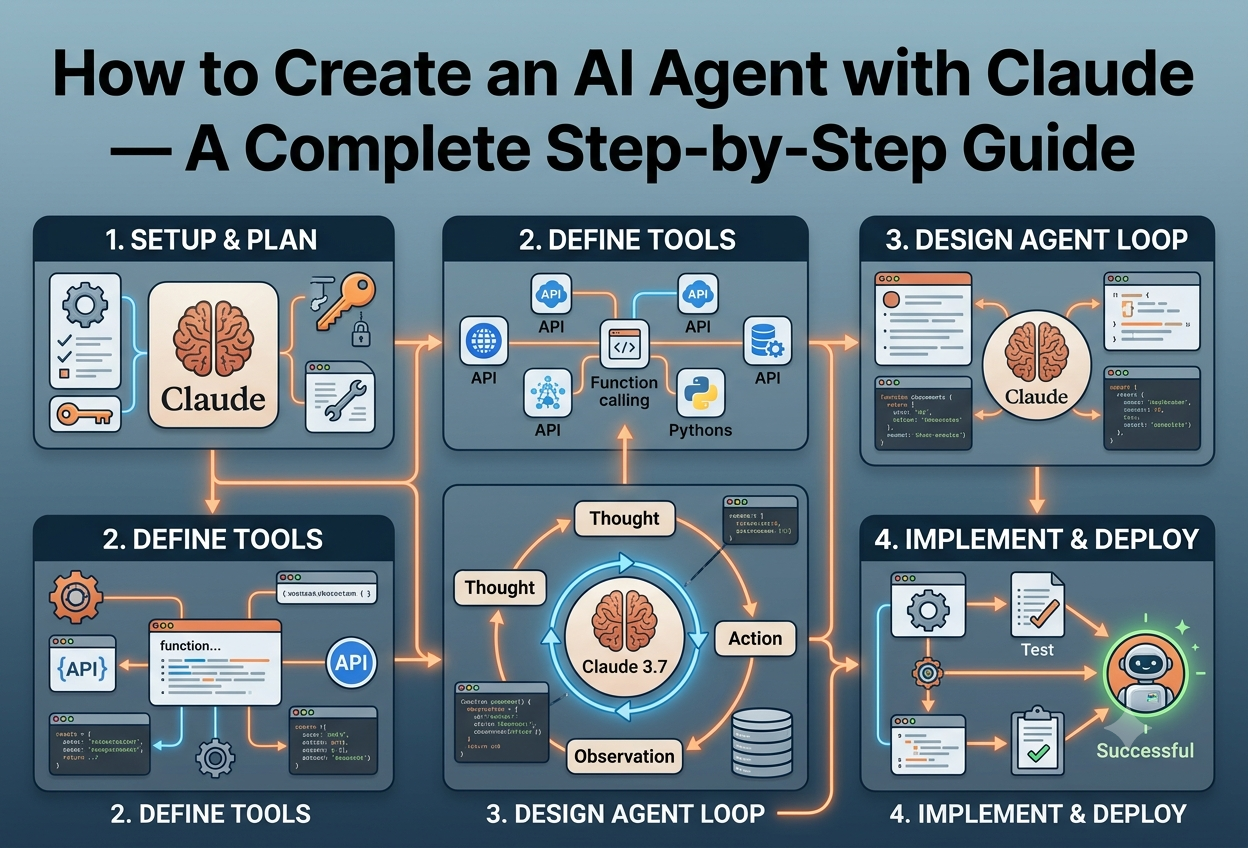
How to Create an AI Agent with Claude
What Is an AI Agent?
An AI agent is a large language model (LLM) placed inside a loop — one that can use tools, read from and write to memory, and make autonomous decisions about what to do next to accomplish a goal.
If you’ve used Claude Code, you’ve seen what an AI agent can actually do: read files, run commands, edit code, figure out the steps to accomplish a task — it doesn’t just help you write code, it takes ownership of problems and works through them the way a thoughtful engineer would.
— Nader Dabit, Claude Agent SDK Guide
The key insight that separates an AI agent from a simple chatbot is autonomy over multi-step tasks. A chatbot responds to a message; an agent accepts a goal and executes a sequence of actions — using tools, inspecting results, and deciding what to do next — until that goal is reached or it needs human input.
A useful working definition: an AI agent is an LLM in a loop that can use tools, read from and write to memory, and make decisions about what to do next. That definition is small enough to actually build in an afternoon — and powerful enough to automate real work.
The Three Core Properties of Any Agent
The agent continues calling the model and executing tools iteratively until a task is complete — not just a single prompt-response exchange.
An LLM without tools can only produce text. With tools, it can read files, call APIs, query databases, run code, and trigger real-world effects.
Agents maintain context across steps — either in the conversation history, external storage, or a scratchpad — so they remember what they’ve done.
Agents vs. Chatbots: A Clear Comparison
| Aspect | Chatbot | AI Agent |
|---|---|---|
| Interaction model | Single-turn Q&A | Multi-step autonomous task execution |
| Tools | None (text only) | Files, APIs, code execution, web search |
| State | Stateless or short context | Persistent memory and context management |
| Goal handling | Answers a question | Decomposes and executes a complex goal |
| Human involvement | Per turn | Only when needed (approval gates, errors) |
| Duration | Seconds | Minutes to hours on complex tasks |
The Agent Loop (Conceptually)
Why Build with Claude?
Claude by Anthropic is the leading model for agentic tasks in 2026. Claude Sonnet 4.6 is the world’s best coding model, and the Claude Opus family delivers frontier-level reasoning — both are purpose-built for long-horizon, multi-step work.
Claude Sonnet 4.6 has been observed maintaining focus for over 30 hours on complex, multi-step tasks, making it the current best choice for production agents that need sustained execution. On the OSWorld leaderboard — the benchmark for computer-use agents — it achieved 61.4%, up from 42.2% just four months earlier.
Claude’s Agent-Specific Advantages
The most aligned frontier model to date. Reduced sycophancy, deception, and power-seeking. Strengthened prompt injection defenses.
Automatic caching of repeated context reduces cost and latency in long agent runs dramatically — critical for production viability.
Claude is the primary driver of the Model Context Protocol standard — with official TypeScript SDKs and a rapidly growing tool ecosystem.
Python, TypeScript, Java, Go, C#, Ruby, PHP — official SDKs for every major language with shared patterns and concepts.
Anthropic’s Managed Agents platform handles environment provisioning, sandboxing, and session lifecycle — no infrastructure setup needed.
Route through Amazon Bedrock, Google Vertex AI, or Anthropic directly. Flexible deployment across cloud providers.
- claude-opus-4-8 — Frontier reasoning, best for complex multi-step analysis. Highest capability.
- claude-sonnet-4-6 — Best for most agents. #1 on SWE-bench. Best speed/capability ratio.
- claude-haiku-4-5 — Fastest, lowest cost. Best for high-volume, simpler agentic subtasks.
Core Concepts & Terminology
Before writing a single line of code, it’s essential to understand the vocabulary of AI agents. These terms map directly to API concepts and architectural decisions you’ll make throughout your build.
| Term | Definition | In Practice |
|---|---|---|
| Agent | A configuration defining a model, system prompt, and available tools | Created once, reused across many sessions |
| Session | A running instance of an agent executing a specific task | Like a job run — has a start, work, and end |
| Tool / Function | An external capability the LLM can invoke by name with parameters | Web search, file read, API call, calculator |
| Tool Use | The mechanism by which Claude requests to call a tool | Claude returns a tool_use stop reason |
| ReAct Loop | Reasoning + Acting: the iterative cycle of thought → action → observation | The foundational pattern for all agents |
| System Prompt | Instructions defining the agent’s role, constraints, and tool guidance | The agent’s job description — shapes all behaviour |
| Context Window | The total tokens (input + output) the model can process at once | Determines how much history an agent can hold |
| Compaction | Automatic summarisation of old context when nearing the window limit | Enables long-running agents without overflow |
| MCP | Model Context Protocol — standard for exposing tools to AI models | Re-usable tool servers (Slack, Postgres, GitHub) |
| Environment | The sandboxed compute container where an agent session runs | Cloud sandbox with bash, Python, Node.js, internet |
| Subagent | An agent spawned by another agent to handle a subtask in parallel | Parallelise research, code review, data extraction |
| Permission Mode | Controls what actions require human approval vs. auto-execute | bypassPermissions, requireApproval, etc. |
The Agent Architecture Stack
LLM
LLM → API → SDK → Managed Platform. Each layer adds more agent infrastructure.
Prerequisites & Environment Setup
Before writing any agent code, you need an Anthropic account, an API key, the right language runtime, and the SDK installed. This section walks through the full environment setup.
What You Need
- Anthropic Console Account — Sign up at console.anthropic.com
- API Key — Create at console.anthropic.com/settings/keys. Store securely.
- Python 3.10+ OR Node.js 18+ — Pick your preferred language
- NPM — Required to install Claude Code CLI (even for Python users)
- Terminal access — macOS Terminal, Linux shell, or Windows Terminal with WSL
Step 1: Install the Claude Code CLI
The Claude Code CLI is the runtime that powers the Agent SDK. It must be installed regardless of whether you use Python or TypeScript.
# Option A: NPM (cross-platform)
npm install -g @anthropic-ai/claude-code

# Option B: curl installer (Linux / macOS)
curl -fsSL https://claude.ai/install.sh | bash

# Option C: Homebrew (macOS)
brew install anthropic/tap/claude-code

# Verify installation
claude --version
claude doctor
# Download and run the installer
irm https://claude.ai/install.ps1 | iex

# Then add to PATH: C:Users<user>.localbin
# Restart PowerShell, then verify:
claude --version
Step 2: Set Your API Key
# Set for current session
export ANTHROPIC_API_KEY="sk-ant-your-key-here"

# Persist in shell profile (bash/zsh)
echo 'export ANTHROPIC_API_KEY="sk-ant-your-key-here"' >> ~/.zshrc

# OR use a .env file (recommended for projects)
echo "ANTHROPIC_API_KEY=sk-ant-your-key-here" > .env
Step 3: Install the SDK
# Install the Anthropic Python SDK
pip install anthropic python-dotenv

# Install the Claude Agent SDK (for agent loop features)
pip install claude-code-sdk
# Create a new project
mkdir my-claude-agent && cd my-claude-agent
npm init -y

# Install SDKs and TypeScript tooling
npm install @anthropic-ai/sdk @anthropic-ai/claude-agent-sdk
npm install -D typescript @types/node tsx
Before building anything complex, run a one-liner to confirm your credentials work. In Python: python -c "import anthropic; c=anthropic.Anthropic(); r=c.messages.create(model='claude-sonnet-4-6', max_tokens=20, messages=[{'role':'user','content':'Say hello'}]); print(r.content[0].text)"
Claude API Basics
All Claude agents ultimately communicate through the Messages API. Understanding this foundation — models, roles, tokens, stop reasons — is essential before adding the complexity of tool use.
Your First API Call
import os
import anthropic
from dotenv import load_dotenv

load_dotenv()
client = anthropic.Anthropic(api_key=os.getenv("ANTHROPIC_API_KEY"))

def ask_claude(prompt: str) -> str:
    message = client.messages.create(
        model="claude-sonnet-4-6",
        max_tokens=1024,
        messages=[
            {"role": "user", "content": prompt}
        ]
    )
    return message.content[0].text

# Quick test
print(ask_claude("What is 2 + 2? Answer in one word."))
Understanding the Message Structure
The Messages API uses a simple role-based conversation format. Every request is a list of messages with role (either "user" or "assistant") and content.
response = client.messages.create(
    model="claude-sonnet-4-6",
    max_tokens=2048,
    system="You are a helpful coding assistant.",  # System prompt
    messages=[
        {"role": "user", "content": "Write a Python function to reverse a string"},
        {"role": "assistant", "content": "def reverse_string(s): return s[::-1]"},
        {"role": "user", "content": "Add input validation"}
    ]
)
Key API Parameters
| Parameter | Type | Description |
|---|---|---|
| model | string | Which Claude model to use. e.g. claude-sonnet-4-6 |
| max_tokens | integer | Max output tokens. Required. Set to 4096+ for agents. |
| messages | array | Conversation history. Alternating user/assistant turns. |
| system | string | System prompt — the agent’s job description and constraints. |
| tools | array | List of tool schemas the model can invoke. |
| temperature | float 0–1 | Randomness. Lower = more deterministic. Default is 1. |
| stop_sequences | array | Strings that stop generation when encountered. |
Stop Reasons — Critical for Agents
The stop_reason field in the response tells you why Claude stopped generating. For agents, there are two critical values:
end_turn— Claude finished its response naturally. Extract the text and present it as the final answer.tool_use— Claude wants to call a tool. Extract the tool call details, execute the tool, and send the result back in the next message.max_tokens— Hit the token limit. Increasemax_tokensor use compaction.stop_sequence— A custom stop sequence was hit.
Tool Use & Function Calling
Tools are the agent’s hands. Without them, Claude can only produce text. With tools, it can query databases, call APIs, execute code, search the web, and create files. Defining tools correctly is the most important skill in agent development.
How Tool Use Works
Tools are defined as JSON Schema objects. You pass them in the tools parameter of the API request. Claude reads these schemas at inference time and decides whether to call them. The flow is always:
- You define tools with a name, description, and input schema in your API request
- Claude decides to call a tool and returns
stop_reason: "tool_use"plus atool_useblock with the tool name and inputs - You execute the tool in your own code and get a result
- You send the result back as a
tool_resultmessage - Claude reads the result and either calls another tool or returns a final answer
Defining a Tool
tools = [
    {
        "name": "calculator",
        "description": "Performs basic arithmetic. Use this for any math operations.",
        "input_schema": {
            "type": "object",
            "properties": {
                "expression": {
                    "type": "string",
                    "description": "Math expression to evaluate, e.g. '15 * 24 + 100'"
                }
            },
            "required": ["expression"]
        }
    },
    {
        "name": "web_search",
        "description": "Searches the web for current information on a topic.",
        "input_schema": {
            "type": "object",
            "properties": {
                "query": {"type": "string", "description": "The search query"}
            },
            "required": ["query"]
        }
    },
    {
        "name": "save_to_file",
        "description": "Saves text content to a local file.",
        "input_schema": {
            "type": "object",
            "properties": {
                "filename": {"type": "string"},
                "content": {"type": "string"}
            },
            "required": ["filename", "content"]
        }
    }
]
Implementing the Tool Functions
import math

def calculator(expression: str) -> str:
    try:
        allowed = {k: v for k, v in math.__dict__.items()
                   if not k.startswith("__")}
        result = eval(expression, {"__builtins__": {}}, allowed)
        return f"Result: {result}"
    except Exception as e:
        return f"Error: {str(e)}"

def web_search(query: str) -> str:
    # In production: wire to SerpAPI, Tavily, or Brave Search
    return f"Search results for '{query}': [relevant results here]"

def save_to_file(filename: str, content: str) -> str:
    try:
        with open(filename, 'w') as f:
            f.write(content)
        return f"Successfully saved to {filename}"
    except Exception as e:
        return f"Error saving file: {str(e)}"

# Tool dispatcher — routes tool calls to implementations
def execute_tool(tool_name: str, tool_input: dict) -> str:
    if tool_name == "calculator":
        return calculator(tool_input["expression"])
    elif tool_name == "web_search":
        return web_search(tool_input["query"])
    elif tool_name == "save_to_file":
        return save_to_file(tool_input["filename"], tool_input["content"])
    else:
        return f"Unknown tool: {tool_name}"
- Be explicit about when to use a tool, not just what it does — “Use this when the user asks for current information after 2024”
- Describe the format of inputs Claude should provide — “Query should be 2–5 keywords, no question marks”
- List edge cases and limitations — “This tool only works with public URLs, not authenticated pages”
- The tool description is the most impactful part of tool use. More detail = better model decisions.
The ReAct Agent Loop
ReAct (Reasoning + Acting) is the backbone of most production agents. It maps cleanly onto how Claude’s tool use API works: think → act → observe → repeat. Understanding this pattern makes every agent tutorial after this one click into place.
The Complete ReAct Implementation
def run_agent(user_query: str, max_iterations: int = 10) -> str:
    print(f"nUser: {user_query}")
    messages = [{"role": "user", "content": user_query}]
    system_prompt = """You are a helpful AI agent with access to tools.
    Think step by step. Use tools when you need real data or calculations.
    When you have enough information, provide a clear final answer."""

    for iteration in range(max_iterations):
        print(f"n[Iteration {iteration + 1}]")
        # Call Claude with tools
        response = client.messages.create(
            model="claude-sonnet-4-6",
            max_tokens=4096,
            system=system_prompt,
            tools=tools,
            messages=messages
        )
        print(f"Stop reason: {response.stop_reason}")

        # If Claude finished reasoning, extract and return the answer
        if response.stop_reason == "end_turn":
            final_answer = ""
            for block in response.content:
                if hasattr(block, 'text'):
                    final_answer += block.text
            return final_answer

        # If Claude wants to use tools
        if response.stop_reason == "tool_use":
            messages.append({"role": "assistant", "content": response.content})
            tool_results = []
            for block in response.content:
                if block.type == "tool_use":
                    print(f"  Tool: {block.name} | Input: {block.input}")
                    result = execute_tool(block.name, block.input)
                    print(f"  Result: {result}")
                    tool_results.append({
                        "type": "tool_result",
                        "tool_use_id": block.id,
                        "content": result
                    })
            messages.append({"role": "user", "content": tool_results})

    return "Max iterations reached without a final answer."

# Run the agent
result = run_agent("What is 15% of 847 and save the result to result.txt?")
print(f"nFinal Answer: {result}")
Every tool call and result is appended to the messages list. Claude always receives full context of what it’s already done. This conversation history is the agent’s working memory — without it, each step would be blind to previous steps.
Claude Agent SDK
The Claude Agent SDK is the same engine powering Claude Code — exposed as a developer library. It handles the agent loop, built-in tools, and context management so you don’t have to build them yourself.
The SDK handles the loop. Without it, you manage the loop manually. With it, Claude manages it — you just stream messages as Claude reads files, runs commands, finds bugs, and edits code.
— Nader Dabit, The Complete Guide to Building Agents
SDK vs. Raw API
// Without SDK: You manage the loop manually
let response = await client.messages.create({...});
while (response.stop_reason === "tool_use") {
  const result = yourToolExecutor(response.tool_use);
  response = await client.messages.create({ tool_result: result, ... });
}

// With the SDK: Claude manages the loop for you
for await (const message of query({ prompt: "Fix the bug in auth.py" })) {
  console.log(message); // Claude reads files, finds bugs, edits code automatically
}
Built-in Tools
The Agent SDK comes with working tools out of the box — no implementation needed:
Read any file in the working directory. Respects .gitignore.
Create new files with specified content anywhere in the project.
Make precise, targeted edits to existing files without rewriting.
Run terminal commands — npm install, python scripts, git operations.
Find files by pattern or search file contents with regex.
Search the web for current information beyond training data.
Fetch and parse web pages for content extraction and research.
Control a desktop GUI — click, type, scroll, take screenshots.
Your First SDK Agent (TypeScript)
import { query } from "@anthropic-ai/claude-agent-sdk";

async function main() {
  for await (const message of query({
    prompt: "What files are in this directory? Summarise each one.",
    options: {
      model: "claude-sonnet-4-6",
      allowedTools: ["Glob", "Read"],
      maxTurns: 250
    }
  })) {
    if (message.type === "assistant") {
      for (const block of message.message.content) {
        if ("text" in block) console.log(block.text);
      }
    }
    if (message.type === "result") {
      console.log("Done: " + message.subtype + " | Cost: $" + message.total_cost_usd);
    }
  }
}

main();
SDK Agent in Python
import asyncio
from claude_code_sdk import query, ClaudeCodeOptions

async def run_agent():
    async for message in query(
        prompt="Analyse the Python files in this directory and find any bugs",
        options=ClaudeCodeOptions(
            model="claude-sonnet-4-6",
            allowed_tools=["Read", "Glob", "Grep"],
            max_turns=50,
            system_prompt="You are a senior Python engineer. Be thorough."
        )
    ):
        if message.type == "assistant":
            for block in message.message.content:
                if hasattr(block, 'text'):
                    print(block.text, end="", flush=True)
        elif message.type == "result":
            print(f"nComplete — Cost: ${message.total_cost_usd:.4f}")

asyncio.run(run_agent())
Real-World Example: Code Review Agent
import { query } from "@anthropic-ai/claude-agent-sdk";

async function reviewCode(directory: string) {
  console.log("Starting code review for: " + directory);

  for await (const message of query({
    prompt: "Review the code in " + directory + " for: 1) bugs, 2) security issues, 3) performance, 4) code quality. Be specific about file names and line numbers.",
    options: {
      model: "claude-opus-4-8",
      allowedTools: ["Read", "Glob", "Grep"],
      permissionMode: "bypassPermissions",
      maxTurns: 250
    }
  })) {
    if (message.type === "assistant") {
      for (const block of message.message.content) {
        if ("text" in block) console.log(block.text);
        else if ("name" in block) console.log("Using: " + block.name);
      }
    }
  }
}

reviewCode(".");
Managed Agents (Cloud Platform)
Claude Managed Agents is Anthropic’s fully-managed cloud platform for running production agents. You don’t need Docker, Kubernetes, or any infrastructure — just an API key and your agent configuration.
Launched April 8, 2026, Managed Agents provides sandboxed Linux containers with Python, Node.js, and common tools pre-installed. Environments support unrestricted or restricted networking. All sessions have persistent file systems, web access, and code execution without any setup.
Core Managed Agents Concepts
| Concept | Description | Usage |
|---|---|---|
| Agent | Reusable config: model + system prompt + tools | Create once, reuse across sessions |
| Environment | Sandboxed Linux container template | Configure networking, packages, mounts |
| Session | A running agent instance on a task | Start, stream events, stop |
| Events | Stream of messages between app and agent | Tool calls, outputs, status updates |
| Vault | Secure secrets store for agent credentials | GitHub tokens, API keys, passwords |
Step 1: Install the CLI and SDK
# Install the Managed Agents CLI (ant)
brew install anthropic/tap/ant       # macOS
curl -fsSL https://claude.ai/install.sh | bash  # Linux

# Verify
ant --version

# Install Python SDK
pip install anthropic

# Set API key
export ANTHROPIC_API_KEY="your-api-key-here"
Step 2: Create an Agent
from anthropic import Anthropic
client = Anthropic()

agent = client.beta.agents.create(
    name="Coding Assistant",
    model="claude-sonnet-4-6",
    system="You are a helpful coding assistant. Write clean, well-documented code.",
    tools=[
        {"type": "agent_toolset_20260401"},  # Full built-in toolset
    ],
)
print(f"Agent ID: {agent.id}")
Step 3: Create an Environment
environment = client.beta.environments.create(
    name="quickstart-env",
    config={
        "type": "cloud",
        "networking": {"type": "unrestricted"},
        # In production: restrict to specific domains
        # "networking": {"type": "restricted", "allowed_domains": ["api.example.com"]}
    },
)
print(f"Environment ID: {environment.id}")
Step 4: Start a Session & Stream Events
import anthropic
client = anthropic.Anthropic()

session = client.beta.sessions.create(
    agent_id="agent_abc123",
    environment_id="env_xyz456",
)

with client.beta.sessions.send_message.stream(
    session_id=session.id,
    content="Create a simple Python web scraper for https://httpbin.org/json"
) as stream:
    for event in stream:
        if event.type == "content_block_delta":
            print(event.delta.text, end="", flush=True)
        elif event.type == "tool_use":
            print(f"nTool: {event.tool_name}({event.tool_input})")
        elif event.type == "message_stop":
            print("nSession complete")
The Key Events
content_block_delta
Streaming text from the agent. Print to screen in real time for a live typing effect.
tool_use
Claude is calling a built-in tool. Contains tool_name and tool_input. Monitor for auditing.
tool_result
Result of a tool call. Useful for logging and debugging agent behavior.
message_stop
Session complete or needs input. Contains final status, cost, and any error details.
input_required
Agent hit a decision point and needs human input before continuing. Implement approval flows here.
error
Session-level error. Implement retry logic and fallback handling for production agents.
Agent Skills & MCP Integration
Agent Skills are reusable, versioned packages of tools and instructions that extend Claude’s capabilities. The Model Context Protocol (MCP) is the open standard for connecting AI models to external tools, databases, and services.
What is MCP?
The Model Context Protocol is Anthropic’s open standard for exposing tools to AI agents. Instead of re-implementing Gmail, Slack, or Postgres integrations for every project, you run (or build) an MCP server once and plug it into any agent that needs it.
- Custom Tools — One-off functions for your specific project. Good for private APIs and internal logic.
- MCP Servers — Standardised, reusable tool servers. Official TypeScript SDKs. Growing ecosystem of community servers.
- Use custom tools for project-specific logic; use MCP for anything you’d want to share across agents or projects.
Connecting a Remote MCP Server
response = client.messages.create(
    model="claude-sonnet-4-6",
    max_tokens=4096,
    tools=[
        {
            "type": "mcp",
            "server_label": "github",
            "server_url": "https://mcp.github.com",
            "authorization_token": os.getenv("GITHUB_TOKEN"),
            "allowed_tools": ["list_repos", "create_issue", "get_file_contents"]
        }
    ],
    messages=[{"role": "user", "content": "List my recent GitHub repos"}]
)
Popular MCP Servers
GitHub MCP
Read repos, create issues, list PRs, get file contents. Official Anthropic-backed server.
PostgreSQL MCP
Query databases, inspect schemas, run migrations. Connect your agents to production data.
Gmail / Outlook MCP
Read, send, search emails. Build agents that triage inbox, draft replies, or monitor alerts.
Slack MCP
Post messages, read channel history, manage threads. Build team-aware agents.
Google Calendar
Read/write events, schedule meetings, check availability. Scheduling agent workflows.
Jira / Linear MCP
Create tickets, update statuses, query sprints. Bridge agents to project management.
Agent Skills (Managed Platform)
On the Managed Agents platform, Skills are versioned packages deployed to Anthropic’s infrastructure. Create a skill once and share it across agents, teams, or publish to the Skills marketplace.
# Create a new skill project
ant beta:skills init my-data-skill

# Define tools in skill.yaml, implement in index.ts/main.py
# Then deploy:
ant beta:skills deploy

# Attach to an agent
ant beta:agents update AGENT_ID
  --skill 'my-data-skill@1.0.0'
Memory & Context Management
A single-shot agent is stateless — each run starts fresh. Production agents need memory. The right memory architecture depends on your use case: short-term, long-term, or semantic retrieval.
Four Memory Patterns
The conversation history itself. Limited by context window. Free and fast. Best for within-session state.
A markdown file the agent writes to and reads from. Cheap persistent memory. Best for tracking progress within long tasks.
Postgres, Redis, SQLite via tool calls. Structured, persistent, queryable memory. Best for cross-session state.
Embeddings + vector database (Pinecone, pgvector). Retrieve by meaning not exact match. Best for large knowledge bases.
Context Window Management
Claude’s context window is large but finite. For long-running agents, the SDK provides automatic compaction — summarising old context when nearing the limit to prevent overflow while preserving essential information.
Prompt Caching
Anthropic’s automatic prompt caching dramatically reduces cost for agents that use long system prompts or reference documents repeatedly. When the same prefix appears multiple times, it is served from cache at a fraction of the token cost.
- System prompts are the best caching target — put stable, reusable instructions at the top
- Large reference documents (codebase context, knowledge bases) should be placed before variable user content
- Cached tokens cost ~10% of uncached input tokens — significant savings for large context windows
- The SDK handles caching automatically; no explicit configuration needed in most cases
Multi-Agent Systems
When a single agent isn’t enough — because the task is too long for one context window, requires parallelism, or benefits from specialisation — you orchestrate multiple agents working together.
When to Use Multiple Agents
| Pattern | Use Case | Example |
|---|---|---|
| Orchestrator + Workers | Complex tasks decomposed into parallel subtasks | Research agent spawns 5 subagents for each source |
| Pipeline | Sequential processing with specialised stages | Scraper → Extractor → Formatter → Publisher |
| Review Pattern | One agent generates, another critiques | Code writer → Security reviewer → Code writer |
| Specialist Pool | Route tasks to domain-expert agents | Query → Classifier → SQL / Code / Research Agent |
Orchestrator Pattern (Python)
import asyncio
from anthropic import Anthropic
client = Anthropic()

async def run_subagent(agent_id: str, env_id: str, task: str) -> str:
    """Run a single subagent and return its final output."""
    session = client.beta.sessions.create(
        agent_id=agent_id,
        environment_id=env_id,
    )
    result = ""
    with client.beta.sessions.send_message.stream(
        session_id=session.id, content=task
    ) as stream:
        for event in stream:
            if event.type == "content_block_delta":
                result += event.delta.text
    return result

async def orchestrate_research(topic: str) -> str:
    subtasks = [
        f"Research the history of {topic} from primary sources",
        f"Find recent developments and news about {topic} in 2025-2026",
        f"Analyse the technical aspects and future outlook of {topic}",
    ]
    # Run subagents in parallel
    results = await asyncio.gather(*[
        run_subagent("agent_research_worker", "env_sandbox", task)
        for task in subtasks
    ])
    combined = "nn---nn".join(results)
    return await run_subagent(
        "agent_synthesiser", "env_sandbox",
        f"Synthesise these research results into a coherent report:nn{combined}"
    )

report = asyncio.run(orchestrate_research("quantum computing"))
- Give each subagent minimal permissions — only the tools it needs for its specific role
- Subagents should have explicit scope limits — “only read files, never write” or “only query this database”
- The orchestrator should validate subagent outputs before using them as inputs to other agents
- Always implement a max_turns or timeout to prevent runaway agent loops
Best Practices, Safety & Debugging
Building an agent that works in a demo is straightforward. Building one that’s reliable, safe, and cost-effective in production requires intentional design decisions at every layer.
Step 1: Define the Agent’s Job Narrowly
The single biggest predictor of whether your agent will work is how clearly you can describe its job. Vague goals produce vague, expensive, unreliable agents.
Before writing any code, write down three things:
Input: what the agent receives
Output: what it produces
Boundary: what it is explicitly NOT allowed to do (send emails, spend money, delete files)
System Prompt (CLAUDE.md) Best Practices
The system prompt is the agent’s job description. A good system prompt has four sections:
# Role
You are an invoice processing agent for Acme Corp.

# Inputs & Outputs
Input: Email messages containing invoice attachments (PDF)
Output: Structured JSON with vendor, amount, due_date, line items

# Tool Usage
1. Use read_email to fetch the latest unprocessed invoice emails
2. Use extract_pdf to parse the PDF attachment
3. Use validate_vendor to confirm the vendor exists in our system
4. Use save_to_db to persist the structured record

# Guardrails (NEVER DO)
- Do NOT send any emails or notifications
- Do NOT approve or reject invoices — only extract data
- Do NOT access any files outside the invoices/ directory
- If the invoice total exceeds $50,000, flag for human review
- If vendor is not found, escalate — do not create new vendors
Cost Management
Model Selection
Use Haiku for simple classification/routing tasks. Sonnet for most agents. Opus only when deep reasoning is genuinely needed.
Prompt Caching
Structure system prompts to maximise cache hits. Move static content before dynamic user input.
max_turns Limits
Always set a maximum iteration count to prevent runaway loops that burn through tokens.
Monitoring
Track cost_usd per session. Set up alerts when a single run exceeds your budget threshold.
Tool Output Size
Truncate large tool outputs before returning them to Claude. Returning 100KB from a web search wastes tokens.
Streaming
Use streaming for user-facing agents. Perceived response time drops dramatically even when total time is the same.
Security & Permission Hardening
- Never store API keys in code — use environment variables or a secrets manager
- Use allowedTools to restrict agents to only the tools they need for their role
- In Managed Agents, use restricted networking — only allow access to specific domains
- Implement human-in-the-loop gates for irreversible actions (deleting files, sending emails, API calls that cost money)
- Validate all tool inputs before execution — Claude can be manipulated by injected content in documents it reads
- Log all tool calls and their results for audit trails and debugging
- Use sandboxed environments — never give agents direct access to production databases initially
Agent Development Timeline
Basic Tool-Using Agent
Raw API + 2–3 custom tools + ReAct loop. Get familiar with stop_reason handling and message history structure.
SDK Agent
Migrate to the Claude Agent SDK. Add streaming. Test with real file system operations using built-in tools.
Managed Agent
Deploy to Managed Agents platform. Set up agent + environment + session management. Add structured output.
MCP Integration
Connect external MCP servers (GitHub, Slack, database). Implement permission policies. Add monitoring.
Production Multi-Agent
Orchestrator + specialist subagents. Long-term memory. Human-in-the-loop gates. Cost dashboards. CI/CD pipeline.
“The single biggest predictor of whether your agent will work is how clearly you can describe its job. Vague goals produce vague agents.”
— Claude Code Playbooks, How to Build an AI Agent from Scratch
Official tutorial for building tool-using agents with the Claude API.
Create your first autonomous agent on Anthropic’s cloud platform.
ReAct loop, custom tools, and full production code walkthrough.
SDK deep-dive with TypeScript, code review agent example.
Step-by-step guide to the Claude Agent SDK setup and usage.
Developer integration guide for Claude-powered agents.
End-to-end walkthrough from goal definition to multi-agent orchestration.
Managed Agents hands-on tutorial with Python and TypeScript code.
Practical guide to Claude agent creation for business automation.
Building reusable, versioned tool packages for Claude agents.
Three hands-on projects from one-shot to full custom-tool agents.