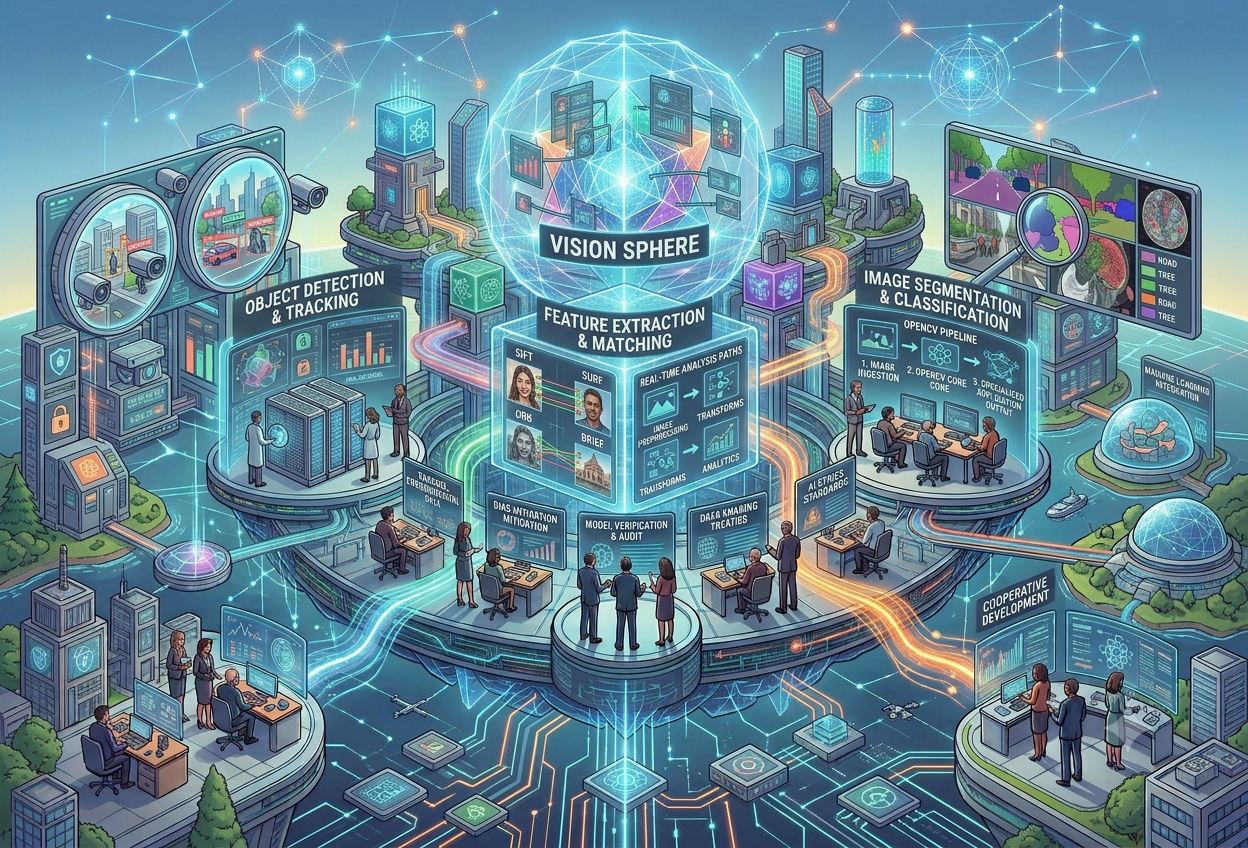
OpenCV: Computer Vision in Practice
What Is OpenCV?
Every time your phone draws a little box around a face before you take a photo, or a supermarket camera counts the people walking through a door, there is a good chance a piece of free software called OpenCV is quietly doing the heavy lifting behind the scenes.
“OpenCV is a free, open-source toolbox of ready-made building blocks that lets a computer take a photo or video and actually make sense of what is inside it — finding edges, shapes, faces, and movement, fast enough to keep up with real life.”A working definition for this guide
OpenCV stands for Open Source Computer Vision Library. It is not an app you open and click around in — it is a collection of code that programmers plug into their own programs, the same way a carpenter reaches for a particular tool from a toolbox rather than forging a new hammer from scratch every time. Inside that toolbox sit more than 2,500 optimised algorithms covering nearly every classic computer vision task you can imagine: sharpening blurry photos, finding the edges of a face, tracking a moving ball across video frames, stitching together several photos into one panorama, and much more.
OpenCV was originally written in C and C++ for speed, and today it offers official bindings for Python, Java, and several other languages, which is why it shows up in everything from university robotics labs to massive industrial inspection lines. It is free to use under a permissive open-source licence, including in commercial products, which is a major reason it became the de facto standard tool that almost every computer vision course, tutorial, and production pipeline reaches for first.
Imagine a giant box of LEGO bricks that other people have already built into useful little machines — a brick that finds edges, a brick that spots faces, a brick that follows a moving ball. OpenCV is exactly that kind of box, except instead of plastic bricks, it is full of ready-made computer instructions. A programmer can grab the “find a face” brick and the “draw a box” brick, snap them together, and within a few lines of code have a working face-detector — without ever needing to invent face-detection from scratch.
What Makes OpenCV Different From a Single App
It helps to be precise about what OpenCV actually is. It is not a finished product like a photo-editing app — it is closer to a programming library, a bit like a dictionary of pre-written functions that a developer’s own code can call upon. A photographer using an app like a smartphone camera benefits from OpenCV indirectly, through software built on top of it, but never sees “OpenCV” written anywhere on the screen. This is one reason OpenCV is everywhere yet invisible: it lives quietly underneath thousands of products rather than being a product itself.
A collection of reusable functions for image and video tasks, called directly from a programmer’s own code.
Built from the ground up for speed, so it can process live camera feeds, not just single static photos.
It has no user interface of its own — developers build the actual product around it.
Why It Matters
Before OpenCV existed, building even a simple “is there a face in this picture?” program meant writing complex mathematics from the ground up. OpenCV’s entire reason for being is to remove that burden, so developers can focus on solving their actual problem instead of reinventing basic vision tools.
The Problems OpenCV Was Built to Solve
- Reinventing the wheel: Tasks like detecting edges, smoothing noise, or finding corners are needed in almost every vision project. OpenCV packages reliable, tested implementations so nobody has to write them from scratch.
- Speed: A self-driving car or a security camera cannot wait several seconds to process one frame — it needs answers many times per second. OpenCV is written and optimised in C++ specifically to keep up with live video.
- Portability: The same OpenCV code can run on a Windows laptop, a Linux server, a Mac, an Android phone, or a tiny embedded computer inside a drone, which matters enormously for products that must work across many devices.
- Cost: Because OpenCV is free and open-source, a student, a startup, and a multinational company can all build on the exact same trusted foundation without licensing fees.
- A shared standard: When millions of developers use the same library, code, tutorials, bug fixes, and best practices accumulate in one place rather than being scattered across countless incompatible private tools.
Imagine if every single person who wanted to bake a cake had to first invent the oven, the mixing bowl, and the recipe for flour, all by themselves, before they could even start baking. That would be exhausting! OpenCV is like a shared kitchen that already has all the ovens, bowls, and basic recipes ready to go, so anyone who wants to “bake” a computer vision project can skip straight to the fun, creative part.
Who Actually Uses It?
OpenCV’s user base spans an unusually wide range — from individual hobbyists tinkering with a Raspberry Pi to engineering teams inside some of the world’s largest technology companies. Major institutions and research labs including Stanford, MIT, and Cambridge use it in their computer vision coursework and research, while large enterprises across sectors from retail to manufacturing rely on it for production-grade vision systems. This breadth is part of why OpenCV skills remain valuable for almost anyone entering computer vision, robotics, or AI engineering — it is genuinely common ground across academia and industry alike.
A Short History of OpenCV
OpenCV’s story is a little unusual: it was born inside a hardware company, not a software one, and that origin still shapes why it exists today.
Why a Chip Company Built a Vision Library
OpenCV began as an internal research initiative at Intel, aimed at encouraging CPU-intensive applications that would, in turn, create demand for more powerful processors. University groups, including the MIT Media Lab, were already sharing early computer-vision infrastructure so that students did not have to keep rebuilding the same basic functions. Intel’s logic was straightforward: the more impressive and processor-hungry the vision applications people could build, the more reason there was for the world to buy faster chips. Giving away a polished, free vision library to fuel that demand made more business sense than charging for it.
First Open-Source Release
OpenCV is released publicly under a permissive open-source licence, making its growing set of vision algorithms freely available to developers everywhere.
GPU Acceleration Arrives
Support for NVIDIA’s CUDA platform is added, letting OpenCV offload demanding computations to graphics cards for major speed gains.
A Dedicated Non-Profit Takes Over
OpenCV.org assumes stewardship of the project, maintaining both developer-facing documentation and a separate user-facing site.
Itseez Acquired by Intel
Itseez, a computer vision startup that had become a major contributor to OpenCV’s development, is acquired by Intel, reinforcing continued investment in the project.
OpenCV 4.8
A major release brings a refactored Vulkan backend for substantially faster performance, expanded OpenVINO support, and improved multimedia format handling.
Over time, central development moved well beyond Intel itself, supported along the way by organisations including Willow Garage, with a large, active open-source community now driving continued improvements. This community-driven model is part of why OpenCV has stayed current for over two decades — an unusually long lifespan in a field that changes as quickly as computer vision does.
Knowing that OpenCV began as a way to sell more processors, not as a standalone software business, helps explain its philosophy to this day: maximum performance, broad compatibility across operating systems and languages, and a licence generous enough that companies feel free to build serious commercial products on top of it without giving anything back if they choose not to.
How OpenCV Works
At its core, OpenCV treats every image as a grid of numbers. Understanding that one fact unlocks almost everything else about how the library operates.
An Image Is Just a Big Spreadsheet of Numbers
A digital photograph looks like a single picture to your eyes, but to a computer it is a large grid of tiny squares called pixels, each holding numbers that describe its colour. A typical colour pixel stores three numbers — how much red, green, and blue light it contains, each usually ranging from 0 to 255. OpenCV’s job starts here: every single operation it performs, from blurring to face detection, is ultimately just mathematics applied to this grid of numbers.
The Four-Stage Pipeline
Almost every OpenCV-based application, however complex, boils down to a version of this same basic flow:
- Capture: Bring an image or video frame into the program, either from a saved file or directly from a live camera feed.
- Pre-process: Clean the data up — converting to grayscale to simplify later steps, smoothing out sensor noise, correcting lens distortion, or resizing to a standard shape.
- Analyse: Apply the actual vision algorithm — detecting edges, locating faces, tracking motion, or feeding the cleaned frame into a deep learning model for object detection.
- Act on the result: Draw a bounding box, trigger an alert, log a measurement, or hand the result off to another part of the larger application.
For real-time applications such as a security camera or a self-driving car’s vision system, this entire four-stage loop must repeat dozens of times every single second, which is exactly the kind of demanding, repetitive workload OpenCV’s underlying C++ code and hardware acceleration support were built to handle efficiently.
Why Real-World Images Are Messier Than They Look
A camera rarely captures a perfectly clean image. Lighting changes, reflections, motion blur, small lens imperfections, and the physical angle or position of the camera all introduce noise and distortion into raw footage. Building a reliable vision pipeline therefore means explicitly modelling and correcting for these imperfections — denoising, dewarping, and filtering frames — before any higher-level analysis can be trusted. OpenCV provides a standard, well-tested toolkit for exactly this kind of pre-processing work, which is why developers reach for it even in projects that ultimately rely on deep learning for the more advanced recognition steps.
Think about washing and chopping vegetables before you cook them. You would not throw a dirty, unwashed potato straight into a pot. In the same way, OpenCV “washes and chops” an image first — cleaning up noise, fixing the lighting, resizing it neatly — before handing it over to be “cooked,” which in computer vision means analysed for faces, objects, or motion. Skipping the cleanup step usually makes the final result messier and less accurate.
Core Modules & Building Blocks
OpenCV’s huge collection of functions is organised into modules, each focused on a particular kind of vision task. Knowing the main modules gives you a mental map of everything the library can do.
The foundation module — basic data structures for storing images and matrices, and fundamental array operations everything else builds on.
FoundationImage processing functions: filtering, geometric transformations, colour space conversion, histograms, and edge detection.
ProcessingReading and writing video files and camera streams, abstracting away the differences between operating systems and hardware.
VideoMotion analysis and object tracking across frames, including background subtraction and optical flow algorithms.
MotionDetecting and describing distinctive key points in images — corners, blobs, and texture patterns used for matching and recognition.
FeaturesPre-built object detection tools, including the classic Haar cascade classifiers historically used for fast face detection.
DetectionA module for running (not training) deep neural networks, letting OpenCV load and use models built in other deep learning frameworks.
Deep LearningCamera calibration and 3D reconstruction tools, including stereo vision for estimating depth from two camera viewpoints.
3D VisionA general-purpose classical machine learning library built into OpenCV, covering statistical pattern recognition and clustering algorithms.
Classical MLA Tiny Taste of the Code
To make this concrete, here is roughly what a beginner’s first few steps with OpenCV in Python look like — loading an image, converting it to grayscale, and detecting its edges:
import cv2
# load an image from disk
image = cv2.imread(“photo.jpg”)
# convert from colour to grayscale
gray = cv2.cvtColor(image, cv2.COLOR_BGR2GRAY)
# smooth out small noise before edge detection
blurred = cv2.GaussianBlur(gray, (5, 5), 0)
# find edges using the Canny algorithm
edges = cv2.Canny(blurred, 50, 150)
cv2.imwrite(“edges.jpg”, edges)
Notice how each step is a single, short function call — cvtColor, GaussianBlur, Canny — that internally runs carefully optimised mathematics the developer never has to write themselves. This is the essence of what a library gives you: complex, well-tested operations made accessible through a simple, readable interface.
Almost nobody uses all of OpenCV’s modules in a single project. A document scanner app might lean heavily on imgproc for perspective correction and thresholding, while a sports analytics tool might lean on video and dnn for tracking and detection. Part of learning OpenCV well is learning which corner of this large toolbox actually matters for the problem you are solving.
OpenCV vs. Deep Learning Frameworks
A common point of confusion for newcomers is how OpenCV relates to deep learning frameworks like TensorFlow and PyTorch. They are not competitors so much as different layers of the same overall stack, and in practice they are usually used together.
| Aspect | OpenCV | TensorFlow / PyTorch |
|---|---|---|
| Primary focus | Classical image processing & vision algorithms | Building and training deep neural networks |
| Typical role | Capture, pre-process, post-process, classical CV | Learn complex patterns from large labelled datasets |
| Can train neural networks? | Not its primary purpose — limited support | Yes, this is the core purpose |
| Can run pretrained models? | Yes, via its DNN module | Yes — this is their core strength |
| Classical ML algorithms | Yes (SVM, k-NN, clustering, and more) | Possible but not the typical use case |
| Real-time video handling | Excellent, purpose-built for this | Possible, but typically needs OpenCV alongside it |
How They Actually Work Together
In a modern computer vision pipeline, it is common to see OpenCV and a deep learning framework cooperating rather than competing. A typical real-world example looks like this: OpenCV opens a video stream and reads each frame, resizing and formatting it correctly; that frame is then passed into a deep learning model (commonly a YOLO-family object detector) for the actual recognition step; and finally, OpenCV is used again to draw the resulting bounding boxes and labels back onto the frame before displaying or saving it.
Classical Computer Vision vs. Learned Computer Vision
This division also reflects two broader philosophies in computer vision. Classical techniques — the kind OpenCV specialises in — rely on explicit, hand-designed mathematical rules: an edge is wherever brightness changes sharply; a corner is wherever brightness changes sharply in two directions at once. These rules are fast, predictable, and require no training data at all. Deep learning techniques instead learn their own internal rules automatically from thousands or millions of labelled examples, often achieving much higher accuracy on complex tasks like recognising thousands of different object categories, at the cost of needing significant training data and computing power.
OpenCV’s own DNN module bridges the two worlds: it lets a program load a neural network that was trained elsewhere (in TensorFlow, PyTorch, or another framework) and run it efficiently for inference, without OpenCV needing to handle the training process itself.
Think of OpenCV as a very skilled photo-editing assistant, and a deep learning model as a brilliant detective. The assistant cleans up the photo, crops it neatly, and makes sure the lighting looks right — necessary work, but not detective work. The detective then studies the cleaned-up photo and says “that’s a dog” or “that’s a stop sign.” Afterwards, the assistant comes back to draw a neat box around what the detective found. Neither one can fully replace the other — they make a great team.
Image Processing Essentials
Long before any face is detected or any object is classified, an image typically passes through a set of foundational processing steps. These are the techniques every OpenCV learner meets first, and they remain useful in almost every project.
Colour Space Conversion
Colour photographs are usually stored with three numbers per pixel (red, green, blue), but many algorithms work better, or only need to work, on a single brightness value per pixel. Converting an image to grayscale throws away colour information but keeps the underlying shapes and structure, which is often all an edge-detector or face-detector actually needs — and it roughly cuts the amount of data to process by two-thirds.
Smoothing and Blurring
Real camera sensors introduce small random variations called noise, which can confuse later steps like edge detection. A Gaussian blur averages each pixel together with its neighbours in a weighted way, smoothing out this noise while mostly preserving the overall shapes in the image — a standard first step before more sensitive analysis.
Thresholding
Thresholding converts a grayscale image into a strictly black-and-white image by picking a brightness cutoff: pixels brighter than the cutoff become pure white, and everything else becomes pure black. This dramatically simplifies an image, which is especially useful for tasks like document scanning, where you mainly care about separating dark text from a light background.
Edge Detection
An edge is any place in an image where brightness changes sharply — the boundary of a face against a background, or the outline of a road sign. The Canny edge detector, one of OpenCV’s most famous algorithms, finds these boundaries by looking at how quickly brightness changes from pixel to pixel, then cleaning up the result into clear, thin outlines. Edge detection underlies many later techniques, including contour finding and certain forms of object recognition.
Morphological Operations
Working on already-thresholded black-and-white images, morphological operations reshape blobs of pixels to clean up noise or connect broken pieces. Erosion shrinks bright regions and removes small stray dots; dilation expands bright regions and fills in small gaps. Combining the two in sequence gives two more named operations: opening (erosion then dilation, good for removing small noise specks) and closing (dilation then erosion, good for sealing small holes inside a shape).
Shrinks bright shapes, useful for removing tiny isolated noise specks from a black-and-white image.
Expands bright shapes, useful for filling in small unwanted gaps or holes within a detected region.
Geometric Transformations
Sometimes the content of an image is fine, but its shape, size, or orientation needs adjusting. OpenCV provides functions for resizing, rotating, flipping, and — most usefully for document and ID scanning — perspective transformation, which takes a photo taken at an angle and mathematically “straightens” it into a neat, top-down rectangle, the same trick behind most mobile scanning apps.
Imagine you photographed your homework on a slightly tilted angle, with the corners of the page not quite forming a perfect rectangle. A perspective transformation is like a magic trick that grabs the four corners of the page and stretches the photo until it looks like you were holding the camera perfectly straight above it — even though you weren’t. Document-scanning apps on phones use exactly this trick, built using OpenCV functions.
Feature Detection & Matching
To stitch two photographs into a panorama, or to recognise the same object from two different angles, a program first needs a way to spot distinctive, recognisable “landmarks” within an image — and then match those landmarks between pictures.
What Counts as a “Feature”?
In computer vision, a feature is a small, distinctive patch of an image that is easy to recognise again even if the picture is rotated, resized, or taken from a slightly different angle — corners, sharp blobs, or strongly textured patches tend to make good features, while large flat areas of uniform colour make poor ones because nothing distinguishes one patch of blue sky from another.
Key Detection and Description Algorithms
One of the earliest and simplest feature detectors, it looks for points where brightness changes sharply in more than one direction at once — the classic definition of a corner.
Scale-Invariant Feature Transform finds and describes features in a way that stays recognisable even if the image is resized or rotated, making it strong for object recognition and stitching.
Speeded-Up Robust Features builds on the same idea as SIFT but is engineered to compute much faster, which matters for applications closer to real time.
Oriented FAST and Rotated BRIEF combines two earlier techniques into a fast, free, patent-unencumbered alternative to SIFT and SURF, widely used in real-time applications.
From Features to Matches
Detecting features is only half the job. To stitch two overlapping photographs into one seamless panorama, or to recognise that a logo seen in one photo also appears in another, the program must match features between the two images — finding pairs of feature points that describe the same physical spot in the world. OpenCV provides matching algorithms (including brute-force matching, which simply compares every feature to every other feature) along with techniques like homography estimation, which works out exactly how one image must be rotated, scaled, and warped to align with another.
Imagine two friends each take a photo of the same playground from slightly different spots, and you want to tape the two photos together into one big picture. You would look for the same landmark in both photos — maybe the same red slide — and line the photos up using that shared landmark. That is exactly what feature matching does, except the computer is hunting for tiny patterns like corners and textures instead of slides, and it can find dozens of matching landmarks in a fraction of a second.
Advanced Techniques
Beyond the foundational toolkit, OpenCV supports a set of more sophisticated techniques that power genuinely impressive real-world applications — from depth-sensing robots to motion-tracking sports analytics.
Object Detection With Haar Cascades
Long before deep learning became practical for everyday use, OpenCV popularised Haar cascades — a fast, classical technique for detecting specific patterns like faces and eyes. A Haar cascade is trained in advance on thousands of example images and then scans a new image at many positions and scales, very quickly rejecting regions that clearly do not match a face, so it can focus its remaining effort only on promising candidates. It remains useful today specifically because it is lightweight and does not require a GPU, making it popular on resource-constrained devices.
Optical Flow: Tracking Motion Between Frames
Optical flow algorithms, such as the Lucas-Kanade and Farneback methods built into OpenCV, estimate how individual pixels move from one video frame to the next. By calculating this pixel-by-pixel displacement, a program can track moving objects, estimate the speed and direction of motion, and even reconstruct camera movement — capabilities used in augmented reality, video stabilisation, and sports analytics.
Background Subtraction
For a security camera watching a mostly static scene, the most efficient way to find “interesting” objects is to learn what the empty background normally looks like, then flag anything that differs from it. Background subtraction algorithms like MOG2 (Mixture of Gaussians) and KNN continuously update their model of the background and isolate moving foreground objects — people, vehicles, animals — making them a cornerstone of many surveillance and people-counting systems.
Stereo Vision and Depth Estimation
Just as having two eyes lets humans perceive depth, a pair of cameras positioned a known distance apart lets a computer estimate distance too. By comparing how far the same object appears to shift between the left and right camera images (a difference called disparity), algorithms like StereoBM and StereoSGBM calculate a depth map describing how far away each part of the scene is — a key technique behind robotic navigation and certain 3D-scanning applications.
Camera Calibration
No camera lens is mathematically perfect — most introduce some amount of distortion, especially toward the edges of the frame. Camera calibration involves photographing a known reference pattern (commonly a checkerboard) from multiple angles, then using the predictable geometry of that pattern to work out exactly how a particular camera’s lens distorts images. Once calibrated, that distortion can be mathematically corrected, which matters enormously for applications like augmented reality and precise robotic measurement, where accuracy depends on knowing exactly where things really are.
Image Stitching
Building directly on the feature matching from the previous section, OpenCV’s stitching tools combine multiple overlapping photographs into a single seamless panorama, automatically working out how each photo should be warped, aligned, and blended at the seams — the same technology behind satellite map mosaics and 360-degree virtual tours.
It would be easy to assume that deep learning has made these older, “classical” techniques obsolete, but that is not the case in practice. Haar cascades, optical flow, and background subtraction remain genuinely useful where speed, low power consumption, or the absence of a GPU matter more than squeezing out the last percentage point of accuracy — which describes a great many real embedded and edge-computing devices.
Real-World Applications
OpenCV’s reach extends far beyond research demos. It quietly operates inside an enormous range of real, deployed systems across nearly every industry.
Manufacturing
Cameras on assembly lines use OpenCV to compare each product against a reference image, instantly flagging defects, misaligned labels, or missing parts.
Medical Imaging
Edge detection and segmentation techniques help highlight tumours, fractures, or organ boundaries in X-rays, MRIs, and CT scans, assisting clinicians.
Autonomous Vehicles
Lane detection, traffic sign recognition, and obstacle tracking in self-driving systems often combine OpenCV pre-processing with deep learning detection.
Security & Surveillance
Motion detection, face recognition, and intrusion alerts in CCTV systems frequently rely on OpenCV’s video and object-detection modules.
Satellite & Mapping
Image stitching techniques combine many satellite or aerial photographs into the seamless map mosaics used by mapping services.
Agriculture
Drones and ground cameras use OpenCV-based pipelines to detect crop health issues, count livestock, and identify weeds or pests.
Sports Analytics
Player and ball tracking, pose estimation, and performance analysis in professional sports broadcasts often build on OpenCV’s video and tracking tools.
Retail
People-counting, footfall analysis, and shelf-monitoring systems in stores use background subtraction and object detection to track customer behaviour.
Robots, Drones, and Unmanned Vehicles
Because OpenCV is lightweight, portable, and runs efficiently even on modest hardware, it is a natural fit for robotics — powering vision systems on unmanned aerial drones, ground robots, and underwater vehicles, where camera calibration, depth estimation, and obstacle detection all matter for safe, autonomous navigation.
An Unexpected Application: Sound
Interestingly, OpenCV’s techniques are not limited to literal photographs. Audio signals can be converted into a visual representation called a spectrogram — essentially a picture of sound, with frequency on one axis and time on another — and OpenCV’s standard image-analysis tools can then be applied to that picture to help identify or classify sounds and music, a creative crossover between the audio and vision worlds.
Next time you walk through a self-checkout in a shop, watch a soccer match with on-screen player stats, or see a robot vacuum dodge a chair, there’s a good chance some version of OpenCV is working quietly in the background — turning the camera’s raw video into something the computer can actually understand and act on.
Project Ideas to Try
One of the best ways to actually learn OpenCV is to build something small and tangible with it. Here is a tour of approachable project ideas, organised roughly from beginner to more advanced.
Beginner-Friendly Projects
Build a simple drawing canvas where colour and brush controls are drawn directly onto the video window using OpenCV’s own drawing and text functions.
Continuously run face detection on a live webcam feed and automatically snap a photo the instant a face is detected and centred.
Detect and count objects of a particular type — vehicles, fruit, or coins — in a static image or live video feed, drawing a box around each one found.
Convert an image to grayscale, threshold it, and use contour-finding functions to outline and count the distinct shapes present.
Image Processing Projects
Use a pretrained deep learning colourisation model alongside OpenCV’s DNN module to add plausible colour back into old black-and-white photographs.
Programmatically overlay a logo or text watermark onto a batch of images, exploring OpenCV’s image-blending and text-drawing functions.
Detect facial landmarks in two photos and use geometric warping to swap one person’s face onto another’s, a popular and genuinely fun intermediate project.
Detect the edges of a document in a photo, apply a perspective transform to straighten it, and threshold the result for a clean, scanned look.
Intermediate & Real-Time Projects
Combine a camera, a small motorised chassis, and edge/contour detection to build a robot that follows a painted line on the floor.
Train a lightweight object detector on different fruit images, then integrate it with OpenCV’s video capture for live classification through a webcam.
Detect and recognise faces from a live camera feed, matching them against a small known database to automatically mark attendance.
Train a classifier to distinguish masked from unmasked faces, then run it live over a video stream — a genuinely useful public-health-era project.
The best way to really understand a new tool is to build something fun with it, even something small. Starting with a simple project — like teaching the computer to snap a photo automatically whenever it sees a smiling face — teaches you far more than just reading about computer vision, because you run into real little problems and get to solve them yourself.
Pros, Cons & Limitations
OpenCV’s two-decade dominance is well earned, but it is not the right tool for absolutely every job. A fair look at its trade-offs helps set realistic expectations.
Strengths
- Free and open-source, even for commercial products
- Extremely fast — built in optimised C++ for real-time use
- Runs across virtually every major platform and language
- Enormous library of over 2,500 tested algorithms
- Massive community, documentation, and tutorial base
- Plays well alongside deep learning frameworks
Weaknesses
- Not designed for training large neural networks
- Classical algorithms can lag behind deep learning on complex recognition tasks
- Steeper learning curve for low-level C++ usage and parameter tuning
- Some advanced patented algorithms (historically, parts of SIFT/SURF) carried licensing caveats in certain versions
- Conventional, hand-written pipelines can become complex and hard to maintain as requirements grow
When OpenCV Is the Right Tool
- You need real-time speed on modest hardware: Classical OpenCV techniques often run comfortably on devices without a dedicated GPU.
- Your task is well-defined and rule-based: Tasks like measuring object dimensions, detecting simple shapes, or reading barcodes rarely need deep learning at all.
- You need to pre- or post-process frames around a deep learning model: Capturing video, resizing frames, and drawing results back onto images is squarely OpenCV’s strength.
- Budget or licensing constraints rule out commercial vision SDKs: OpenCV’s permissive licence removes that barrier entirely.
When You Might Need More Than OpenCv Alone
- Highly complex recognition tasks: Distinguishing thousands of fine-grained categories, or operating reliably under huge lighting and pose variation, usually calls for a trained deep learning model.
- You need to train, not just run, a neural network: That training step is the job of frameworks like TensorFlow or PyTorch, not OpenCV itself.
- You need managed infrastructure at enterprise scale: Larger organisations often pair OpenCV with dedicated MLOps or computer-vision-platform tooling to manage many camera feeds, models, and deployments at once.
OpenCV is best understood as essential infrastructure rather than a magic solution to every vision problem. It rarely “loses” to deep learning frameworks because they are not actually playing the same game — OpenCV handles the plumbing, pre-processing, and many classical tasks extremely well, while deep learning frameworks handle the heavy-duty pattern recognition. Most serious computer vision projects today use both.
The Road Ahead
More than two decades after its first release, OpenCV remains under active development, continuing to adapt to new hardware, new neural network architectures, and a changing computer vision landscape.
Where OpenCV Is Heading
Continued investment in backends such as Vulkan and OpenVINO is squeezing more performance out of modern CPUs, GPUs, and specialised AI accelerators.
TrendThe DNN module continues to expand support for newer neural network formats, narrowing the gap between classical OpenCV pipelines and modern AI models.
TrendVisual, drag-and-drop platforms are increasingly wrapping OpenCV’s capabilities into modular building blocks, opening computer vision up to non-specialist teams.
TrendAs cameras get cheaper and more devices gain onboard processing power, OpenCV’s lightweight efficiency keeps it relevant for an expanding universe of edge devices.
TrendOpen Challenges
- Keeping pace with deep learning’s growth: As neural network architectures evolve rapidly, OpenCV’s DNN module must continually adapt to stay a convenient bridge rather than a bottleneck.
- Balancing simplicity with power: Newcomers benefit from simple, high-level functions, while advanced users want fine-grained control — OpenCV must continue serving both audiences well.
- Maintaining a sprawling, decades-old codebase: A library this large, used across this many platforms and languages, faces real ongoing engineering challenges in compatibility and quality control.
- Competition from newer specialised libraries: Tools focused purely on deep-learning-based vision are growing quickly, and OpenCV’s continued relevance depends on remaining the best glue between classical and modern techniques.
OpenCV’s enduring relevance comes from a simple fact: teaching a computer to truly “see” almost always starts with the same humble, classical groundwork — cleaning up noisy pixels, finding edges, recognising shapes, tracking motion — long before any fancy neural network gets involved. As long as cameras keep generating raw, messy visual data that needs preparing before it is useful, a fast, free, battle-tested toolbox like OpenCV will keep earning its place at the very start of the computer vision pipeline.
Sources & References
Hands-on walkthrough of practical OpenCV code examples, from grayscale conversion to OCR and document scanning.
Glossary explainer covering OpenCV’s core capabilities and its integration with YOLO-based deep learning detection.
Introductory lesson connecting OpenCV fundamentals to convolutional neural network concepts.
Comprehensive practitioner guide and learning path for OpenCV and Python-based computer vision.
In-depth guide covering OpenCV’s history, capabilities, advanced techniques, and industry applications.
Peer-reviewed technical treatment of OpenCV’s real-time performance characteristics.
Broad topic map covering image processing, feature extraction, deep learning, and computer vision applications.
Peer-reviewed academic research relevant to computer vision techniques and applications.
Accessible overview connecting core image processing concepts to OpenCV implementation.
Academic reference material on computer vision fundamentals and methods.
Curated list of beginner-to-intermediate OpenCV project ideas with suggested solution approaches.