LangChain
What Is LangChain?
Picture a brilliant guest speaker who has read an enormous library of books but has just arrived in a brand-new city — they have no map, no phone, and no idea what happened in the news this morning. LangChain is the guide that hands that speaker a map, a phone, and a notepad, connecting their vast knowledge to the real, current, specific world around them.
“LangChain is an open source orchestration framework for the development of applications using large language models, like chatbots and virtual agents.”— IBM Think, Definition of LangChain
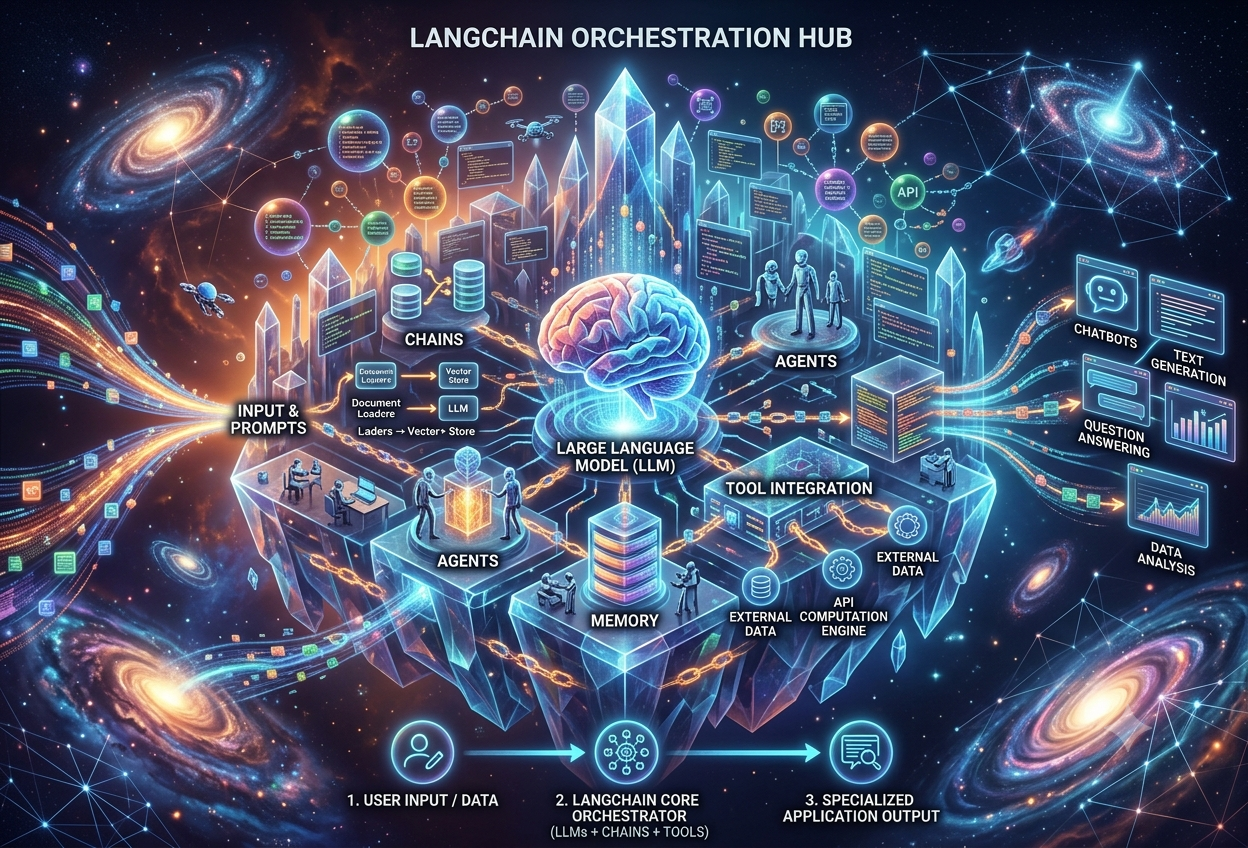
In plainer terms, LangChain is a free, open-source toolkit for building software applications powered by large language models, or LLMs — the kind of AI system behind tools like ChatGPT and Claude. Available for both Python and JavaScript, LangChain does not build language models itself. Instead, it provides the surrounding scaffolding: the wiring that connects a language model to outside data, outside tools, and outside memory, so that a raw model can become a genuinely useful, finished application.
Think of a language model as an incredibly well-read brain in a jar — it knows a staggering amount, but it has no eyes, no hands, and no memory of what you told it five minutes ago. LangChain is like giving that brain a body: eyes to read your documents, hands to use tools like a calculator or a search engine, and a notebook to remember the conversation so far. The brain stays brilliant; LangChain is what lets it actually do things in the world.
Where the Name Comes From
The name splits cleanly into its two halves. “Lang” is short for “language,” pointing at the language models the framework was built around. “Chain” refers to its core idea: linking individual steps — a prompt, a model call, a data lookup, a tool use — together into a connected sequence, the same way links join together to form an actual chain. Put the two together, and “LangChain” describes exactly what the tool does: chaining language-related steps into a working pipeline.
A Brief Origin Story
LangChain was launched in October 2022 by Harrison Chase, along with co-creator Ankush Gola, as an open-source project. Its timing turned out to be extraordinary: the very next month, OpenAI released ChatGPT to the public, igniting a worldwide surge of interest in generative AI. Riding that wave, LangChain grew at a startling pace — by June 2023, just eight months after launch, it had become the single fastest-growing open-source project on GitHub. As of 2026, it remains the most widely used framework for building LLM-powered applications, reporting more than 90 million monthly downloads and use inside production systems at companies including Uber, LinkedIn, J.P. Morgan, BlackRock, Cisco, and Klarna.
Why a Raw Language Model Isn’t Enough
It helps to remember that an LLM, on its own, is not a finished application — it is a pre-trained statistical model that has to be paired with surrounding software to be genuinely useful. ChatGPT itself is not technically an LLM; it is a chatbot application that happens to use an LLM underneath, alongside a text box, a chat history, and a user interface that the underlying model knows nothing about. A raw LLM cannot read your company’s internal documents, cannot check today’s weather, and cannot remember what you said earlier unless something hands that information back to it on every single turn. LangChain exists specifically to solve that gap.
Why LangChain Matters So Much
Three fundamental limitations stand between a raw language model and a genuinely useful application, and LangChain was built to solve all three at once.
Every single call to an LLM starts completely fresh. Without help, a chatbot has to manually resend the entire conversation history with every new message, which quickly becomes unmanageable.
Limitation 1An LLM is trained on data only up to a certain cutoff date, and it cannot read your internal documents, query your database, or see live information unless it is explicitly given that context.
Limitation 2A plain LLM can only produce text. It cannot search the web, run code, send an email, or call an outside API unless something gives it that capability.
Limitation 3LangChain addresses all three limitations directly: it gives language models a working memory, a standard way to connect to outside data sources, and access to tools that let them take real action in the world. Beyond solving these specific gaps, it also saves an enormous amount of engineering effort — instead of writing custom integration code from scratch for every model provider, every database, and every API, a developer can use LangChain’s ready-made, standardised components.
From Idea to Working Software, Much Faster
This added scaffolding has had an outsized effect on the speed of innovation. Because LangChain abstracts away the repetitive, low-level work of connecting models, data, and tools, developers and even non-specialists can prototype a working AI application in days rather than weeks, and can swap between different model providers — OpenAI, Anthropic, Google, open-source options on Hugging Face — by changing only a single line of code, rather than rewriting an entire integration.
The faster an idea can be tested, the more ideas get tested, and the faster genuine progress compounds. LangChain’s rapid rise coincided almost exactly with the post-ChatGPT explosion of interest in generative AI, and it became one of the principal reasons that explosion translated into a wave of real, working applications rather than just public excitement.
Reducing Hallucination With Real Context
One of the most consequential benefits LangChain unlocks is grounding a model’s answers in real, verifiable information rather than letting it guess from memory alone. By connecting an LLM to a company’s actual internal documents through a pattern called retrieval-augmented generation — covered in depth later in this guide — LangChain measurably reduces the model’s tendency to “hallucinate,” or confidently state things that are not true, and improves the overall accuracy of its responses.
How LangChain Actually Works
At its core, LangChain is built around a single powerful idea borrowed from everyday life: abstraction — taking something genuinely complicated and giving it a simple name, so that everyone can use it without understanding every detail underneath.
Think about a thermostat on a wall. You do not need to understand the wiring, the sensors, or the physics of heat to use it — you just turn the dial, and the room gets warmer or cooler. The number “π” works the same way: it lets you use the exact ratio of a circle’s circumference to its width without ever writing out its infinite, never-ending digits. LangChain bundles up complicated AI-programming steps into similarly simple, named building blocks.
The Layered Architecture
Modern LangChain is organised into several distinct, cooperating layers, each with a specific job, which together make the framework both powerful and manageable to maintain.
The foundation layer, containing the essential abstractions — language models, prompts, messages, and the underlying “Runnable” interface — upon which every other LangChain feature is built.
A lightweight adapter package exists for nearly every supported model provider or external tool — langchain-openai, langchain-anthropic, langchain-google, and many more — each wrapping that provider’s own API into LangChain’s standard shape.
The main package most developers install, bundling the core framework together with the most popular pre-built chains, agents, and retrieval components for everyday use.
A large, collaborative space containing integrations and connectors contributed by the wider open-source community, continually extending support to new databases, APIs, and third-party tools.
One Standard Interface for (Almost) Any Model
Perhaps LangChain’s single most practical feature is that it gives developers one consistent way to talk to nearly any language model in existence. Whether the underlying model is OpenAI’s GPT, Anthropic’s Claude, Google’s Gemini, or an open-source model hosted on Hugging Face, the surrounding LangChain code barely has to change — typically just the one line that names which model to use.
from langchain_openai import ChatOpenAI
from langchain_anthropic import ChatAnthropic

# choose a provider by changing only this line
llm = ChatOpenAI(model="gpt-4o")
# llm = ChatAnthropic(model="claude-opus-4-7")

response = llm.invoke("Tell me a fun fact about space.")
print(response.content)
From Components to Chains
LangChain’s individual building blocks — prompt templates, model wrappers, output parsers, retrievers — are deliberately small and focused, each handling one specific job. The real power emerges when these small components are linked together, end to end, so that the output of one step automatically becomes the input for the next. This linking is precisely what gives LangChain its name, and it is the subject of the very next section.
LangChain is a library of reusable, name-able building blocks for working with language models — prompts, models, memory, tools, retrieval — that can be linked together into a chain, letting a developer build a sophisticated AI application by composing simple pieces rather than writing complicated integration code from scratch.
Chains: The Core Idea
If LangChain has one defining concept, it is the chain. A chain is simply a series of automated steps that carries a user’s request all the way through to a finished response, with each step’s output feeding directly into the next step’s input.
Chains Are Made of Links
Just as a physical chain is made of individual links, a LangChain chain is built from individual steps that developers connect together. Each link handles one small, well-defined task — formatting a user’s input, sending a query to a language model, retrieving data from storage, or translating text from one language into another. Breaking a complicated task into a sequence of smaller links makes the whole pipeline easier to build, easier to test, and easier to reorder.
LCEL: The Pipe Operator
Modern LangChain composes chains using something called the LangChain Expression Language, or LCEL — a clean, declarative syntax built around the familiar pipe symbol, |. Reading a chain written in LCEL feels almost like reading a sentence: “take the prompt template, pipe it into the model, then pipe that into the output parser.”
from langchain_core.prompts import PromptTemplate
from langchain_core.output_parsers import StrOutputParser

prompt = PromptTemplate.from_template("Give me 3 career skills in demand in {year}.")
parser = StrOutputParser()

# the pipe operator chains the steps together
chain = prompt | llm | parser

response = chain.invoke({"year": "2026"})
print(response)
Older Chain Types You May Still Encounter
Earlier versions of LangChain offered several named, pre-built chain classes, and while LCEL is now the preferred, more flexible way to build chains, it is worth recognising these older names since they still appear throughout tutorials and existing codebases.
| Chain Type | What It Does |
|---|---|
| LLMChain | The original, simplest chain — wraps a single prompt and a single model call together |
| SimpleSequentialChain | Passes one step’s output directly into the next step’s input, in a strict single-file line |
| SequentialChain | A more flexible version supporting multiple inputs and outputs, allowing branching workflows |
| RouterChain | Dynamically picks which sub-chain to run depending on the input, like an if/else for chains |
Why Chains Matter So Much
By breaking a complex task into a sequence of smaller, well-defined links, a chain lets a model perform genuine step-by-step reasoning — translating a passage and then summarising the translation, or extracting key facts from a question and then using those facts to construct a database query before finally explaining the result back to the user in plain language. Without chains, achieving the same result would mean writing a much larger, harder-to-maintain block of custom code by hand.
RAG: Giving LLMs a Memory of Facts
Of all the patterns LangChain makes possible, none has proven more important than Retrieval-Augmented Generation, almost always shortened to RAG. It is the technique that lets a language model answer questions using your own specific documents, rather than relying purely on whatever it happened to absorb during training.
Imagine taking an open-book exam instead of one you have to study for entirely from memory. RAG works the same way for an AI: instead of forcing the model to guess an answer purely from what it remembers, it hands the model the exact right page from a giant book right before asking the question — so the model can “read the page” and answer accurately, rather than guessing.
The Four-Step RAG Pipeline
Although RAG sounds technical, its actual mechanics break down into four understandable steps, which LangChain handles almost entirely behind the scenes.
- Document processing. Source documents — PDFs, web pages, internal wikis — are split into smaller, manageable chunks so they can be processed efficiently rather than all at once.
- Embedding creation. Each chunk is converted into an embedding: a list of numbers that captures the chunk’s underlying meaning, not just its literal words.
- Vector storage. These embeddings are stored in a specialised vector database, creating a searchable knowledge base organised by meaning rather than by exact keyword matches.
- Retrieval and generation. When a user asks a question, that question is also converted into an embedding, compared against the stored embeddings to find the most semantically similar chunks, and those chunks are handed to the language model as context before it writes its final answer.
Document Loaders and Text Splitters
LangChain provides an enormous range of document loaders, ready-made connectors that pull in data from sources as varied as Dropbox, Google Drive, YouTube transcripts, Notion, Airtable, and ordinary databases. Once loaded, text splitters break long documents down into smaller, semantically coherent chunks — a necessary step, since both embedding models and language models can only meaningfully process a limited amount of text at once.
Vector Databases: Searching by Meaning
Unlike a traditional database that searches for exact matching words, a vector database searches by meaning. Because each chunk of text is stored as an embedding — essentially a point in a very high-dimensional space — chunks with similar meanings end up positioned near each other, even if they do not share a single word in common. LangChain offers integrations for more than 25 different embedding methods and more than 50 different vector store options, including popular choices such as Pinecone, Chroma, and FAISS, all accessible through one common interface.
Beyond Plain Retrieval: Agentic RAG
In a traditional RAG setup, a model can only do one thing with its connected knowledge base: look facts up. Agentic RAG goes a step further, giving the model additional tools alongside its document retriever — the ability to perform calculations, draft emails, or run data analysis — so that retrieving information becomes just one capability among several, rather than the model’s only option.
When a business wants an AI system to know about its own proprietary information, there are really only two paths: expensively and slowly fine-tune the entire model on that data, or use RAG to hand the model the relevant facts at the exact moment it needs them. RAG is almost always faster, cheaper, and easier to keep up to date — updating a RAG knowledge base is as simple as adding a new document, while retraining a model is a substantial undertaking.
Memory & Tools
A language model on its own is, by default, completely forgetful and entirely housebound — it remembers nothing between calls and can only ever produce text. LangChain’s memory and tools systems exist specifically to fix both of those limitations.
Giving a Model a Memory
Because an LLM does not naturally retain anything from one exchange to the next, any chat history that “feels” remembered is actually being manually collected and resent with every new message. LangChain’s memory modules automate that process, offering several different strategies depending on how much history actually needs to be kept.
Stores the entire conversation history in full, sequential detail — simple and complete, but it can grow large in very long conversations.
Keeps only the most recent handful of exchanges, sliding the window forward as the conversation continues, to stay within a model’s context limits.
Instead of storing every message, it maintains a running, condensed summary of the conversation so far — useful for distilling very long exchanges.
Stores facts and embeddings in a vector database, enabling genuine long-term memory and semantic recall well beyond the immediate recent conversation.
Imagine talking to someone with no short-term memory at all — every time you spoke, you would have to repeat your entire conversation from the very beginning, just so they had the full picture. LangChain’s memory is like handing that person a notepad: instead of you repeating everything, the notepad quietly keeps track, and they can glance at it whenever they need to remember what you already said.
Giving a Model Hands: Tools
LLMs have well-documented limitations: they lack live, up-to-the-minute information, lack specialised domain expertise, and are often surprisingly poor at precise mathematics. LangChain tools are functions that let a model reach outside its own training data to fix exactly these gaps, fetching real information or performing real actions instead of guessing.
Provides access to powerful computational and data-visualisation functions, giving the model genuine mathematical capability it otherwise lacks.
Equips an application with real-time information, letting it answer questions about events and facts that occurred well after the model’s training cutoff.
Lets the model run real Python code, making it dramatically more reliable for tasks involving precise calculation or data manipulation.
Connects the model directly to SQL databases or any custom company API, letting it query records or trigger real actions in existing business systems.
Any ordinary Python function can be wrapped and exposed to a model as a custom tool, which is what makes this system so flexible — a company can give its AI application access to its own internal tools just as easily as the pre-built, publicly available ones.
How a Model Actually “Decides” to Use a Tool
When a tool-equipped model receives a request, it does not simply produce an answer directly. Instead, it can output a structured “action,” naming a specific tool and the input that tool should receive. The surrounding application code executes that action, retrieves the tool’s result, and feeds the result back to the model so it can incorporate that real information into its final, grounded response.
from langchain_core.tools import tool

@tool
def get_weather(city: str) -> str:
    """Look up the current weather for a given city."""
    # in a real tool, this would call a weather API
    return f"It's sunny and 24°C in {city}."

llm_with_tools = llm.bind_tools([get_weather])
response = llm_with_tools.invoke("What's the weather in Mumbai?")
Grounding a model’s outputs in tool calls and verified data, rather than letting it answer purely from memory, is one of the most effective ways to reduce hallucination — those confident-sounding but incorrect statements language models can sometimes produce. A model that calls a real calculator tool for arithmetic, rather than guessing the answer itself, will simply be right far more often.
Agents: When the LLM Decides
A chain follows a fixed, hardcoded sequence of steps, decided entirely in advance by the developer. An agent is different: it lets the language model itself act as a reasoning engine, deciding in real time which action to take next, in what order, based on the specific request in front of it.
A chain is like a recipe you follow exactly, step by step, in the same order every single time. An agent is more like a skilled chef handed a request — “make something with chicken and rice” — who then decides for themselves whether to fry it, bake it, or boil it, and in what order, based on what is actually available in the kitchen that day.
The ReAct Pattern: Reasoning Plus Action
Many LangChain agents are built around a pattern called ReAct, short for “Reasoning and Action.” Instead of jumping straight to an answer, the model is prompted to think out loud in a repeating loop: reason about what it currently knows and what it still needs, choose an action such as a tool call, observe the result of that action, and then reason again — looping through this think-act-observe cycle until it has gathered enough information to give a final, confident answer.
From Simple Action Agents to Plan-and-Execute
Early LangChain agent designs decided their very next single step at each point in the loop, which worked well for straightforward requests but could struggle with genuinely complex, multi-stage tasks. A more robust, newer approach called Plan-and-Execute has the model first sketch out an entire sequence of steps in advance, and only then carry that plan out one step at a time — generally proving more reliable for research-heavy or multi-step reasoning tasks.
| Agent Style | How It Behaves | Best Suited For |
|---|---|---|
| ReAct / Zero-Shot Agent | Decides one action at a time, reasoning between each step | Straightforward, single-purpose tasks |
| Conversational Agent | Tracks dialogue history while reasoning about tool use | Chatbots that need both memory and tools |
| Plan-and-Execute Agent | Plans the full sequence of steps before executing any of them | Complex, multi-step research or reasoning tasks |
Multi-Agent Systems
Some tasks are genuinely too complex for a single agent to handle cleanly, which has led to the rise of multi-agent systems — setups where several specialised agents, each with a narrower focus, coordinate and hand work off to one another. One agent might specialise in research, another in writing, and a third in fact-checking, with a coordinating “supervisor” agent routing tasks between them, much like a small team of human specialists collaborating on a shared project.
Because agents decide their own actions dynamically rather than following a fixed script, they are inherently less predictable than a chain — and a tool-equipped agent making a genuine mistake can have real consequences, particularly for tools that send messages, spend money, or modify data. Production-grade agent systems typically place a human approval step in front of any sufficiently risky action, pausing for confirmation before that step is allowed to run.
Building Your First Chain, Step by Step
Reading about chains only goes so far — let us build one. This walkthrough creates a small application that answers a user’s question using context pulled from an uploaded document, the classic beginner’s introduction to retrieval-augmented generation.
Step 1 — Install the Dependencies
LangChain installs through pip, alongside whichever model provider’s integration package you intend to use.
pip install langchain langchain-openai langchain-community faiss-cpu
Step 2 — Set Up the API Key
Most model providers require an account and an API key. It’s good practice to keep that key out of your code, setting it as an environment variable instead.
import os
os.environ["OPENAI_API_KEY"] = "your-api-key-here"
Step 3 — Load and Split a Document
Here, a text file is loaded and broken into smaller, overlapping chunks, ready to be converted into embeddings in the next step.
from langchain_community.document_loaders import TextLoader
from langchain.text_splitter import RecursiveCharacterTextSplitter

loader = TextLoader("company_handbook.txt")
documents = loader.load()

splitter = RecursiveCharacterTextSplitter(chunk_size=500, chunk_overlap=50)
chunks = splitter.split_documents(documents)
Step 4 — Create Embeddings and a Vector Store
Each chunk is converted into an embedding and stored inside a searchable vector database — here, the lightweight, locally-run FAISS library.
from langchain_openai import OpenAIEmbeddings
from langchain_community.vectorstores import FAISS

embeddings = OpenAIEmbeddings()
vector_store = FAISS.from_documents(chunks, embeddings)
retriever = vector_store.as_retriever()
Step 5 — Build the RAG Chain
With the retriever ready, the chain pulls relevant chunks for any question, inserts them into a prompt template alongside the question itself, and sends the combined result to the model.
from langchain_openai import ChatOpenAI
from langchain_core.prompts import ChatPromptTemplate
from langchain_core.output_parsers import StrOutputParser
from langchain_core.runnables import RunnablePassthrough

llm = ChatOpenAI(model="gpt-4o", temperature=0)

prompt = ChatPromptTemplate.from_template("""
Answer the question using only the context below.

Context: {context}
Question: {question}
""")

rag_chain = (
    {"context": retriever, "question": RunnablePassthrough()}
    | prompt
    | llm
    | StrOutputParser()
)
Step 6 — Ask a Question
The finished chain can now answer questions grounded in the original document, rather than guessing from general training knowledge alone.
answer = rag_chain.invoke("How many vacation days do new employees get?")
print(answer)
In well under thirty lines, a document was loaded, split, embedded, and stored, and a complete retrieval-augmented chain was assembled to answer real questions grounded in that specific document — rather than in whatever the underlying model happened to memorise during training. Every individual piece of this pipeline is a swappable LangChain component: a different vector store, a different model, or a different document loader can each be substituted with minimal changes elsewhere in the code.
From a Chain to an Agent
Turning this same retrieval setup into a tool-using agent, capable of deciding for itself when to search the documents versus when to use some other capability, requires only wrapping the retriever as a tool and handing it to an agent constructor — a natural next step once the basic chain is working comfortably.
from langchain.tools.retriever import create_retriever_tool
from langchain.agents import create_agent

retriever_tool = create_retriever_tool(
    retriever, "company_handbook_search",
    "Search the company handbook for policy questions."
)

agent = create_agent(llm, tools=[retriever_tool])
result = agent.invoke({"messages": [("user", "What's our refund policy?")]})
LangGraph & LangSmith
As LangChain applications grew more ambitious, two companion projects emerged from the same team to solve problems that chains and simple agents alone could not: LangGraph, for genuinely complex, stateful workflows, and LangSmith, for seeing what an application is actually doing once it leaves the safety of a notebook.
LangGraph: Agents as Graphs
LangGraph models an AI workflow as a graph — a network of nodes, where each node is a step in the process, connected by edges that can branch, loop, and reconverge depending on what happens at each step. This structure gives developers far more explicit control than a simple chain or a basic agent loop, which is exactly what complex, real-world systems often need.
An agent’s execution state persists automatically, so if a server restarts mid-conversation, the workflow picks up exactly where it left off rather than starting over.
ReliabilityExecution can pause at any chosen node for a human to review, approve, or modify a decision before the workflow continues, with first-class support built in.
SafetyUnlike a strictly linear chain, a graph can loop back on itself or branch down different paths depending on conditions evaluated mid-run.
FlexibilityMultiple specialised agents can be represented as different nodes or subgraphs within the same overall graph, coordinating through shared state.
ScaleThe project’s own guidance is straightforward: use LangChain when you want to quickly build agents and applications using pre-built architectures and standard model integrations, and reach for LangGraph specifically when you have advanced needs requiring a careful mix of deterministic and agentic steps, heavy customisation, or tightly controlled timing. Crucially, you do not need to learn LangGraph just to use basic LangChain agents — modern LangChain agents already run on LangGraph’s runtime underneath, quietly inheriting its durability and streaming benefits without requiring the developer to touch graph concepts directly.
LangGraph has reached a stable, production-ready major release and is now reportedly used in production by organisations including Uber, LinkedIn, and Klarna for tasks ranging from conversational agents to long-running, multi-day approval workflows.
LangSmith: Seeing Inside the Black Box
Released in the autumn of 2023, LangSmith was built specifically to bridge the gap between LangChain’s famously fast prototyping and the very different demands of running a genuinely production-quality application. Once an LLM-powered system is handling real user traffic, a developer needs to know which calls are failing, which are slow, and which are quietly costing more than expected — questions a notebook simply cannot answer.
Importantly, LangSmith is not limited to applications built using LangChain itself — it can monitor and evaluate LLM applications regardless of which underlying framework assembled them, making it a genuinely general-purpose observability layer for the wider LLM application ecosystem.
LangChain, LangGraph, and LangSmith form a natural progression rather than three unrelated tools: LangChain gets an idea working quickly, LangGraph hardens that idea into a reliable, stateful production workflow when complexity demands it, and LangSmith watches over the finished system once real users depend on it.
Where LangChain Is Actually Used
LangChain has moved well beyond hobby projects and weekend experiments. It now sits quietly behind a wide range of production systems, spanning industries from finance to logistics to customer support.
Common Application Patterns
Chatbots & Virtual Assistants
LangChain provides the right context for a chatbot’s specific purpose and integrates it into existing communication channels and workflows through their own APIs, while memory keeps multi-turn conversations coherent.
Document Question Answering
Upload lengthy policy documents, contracts, or research papers and ask questions in plain language, with RAG retrieving and grounding answers in the actual document content.
Summarisation
Language models can be tasked with condensing complex academic articles, meeting transcripts, or a backlog of incoming emails into a short, readable digest.
Semantic Search
Replaces rigid keyword-based search with search that understands intent and meaning — a query for “affordable phones with a good camera” returns relevant results even without an exact keyword match.
Autonomous Agentic Workflows
Multi-step agents that can search the web, query databases, run code, and coordinate with other agents to complete complex tasks with minimal direct human supervision.
Code Generation & Review
Tools built on LangChain can generate boilerplate code, explain existing codebases, write tests, and assist with automated review of pull requests.
Companies Behind the Curtain
LangChain and its companion tools are reported to be running inside production systems at a genuinely wide range of organisations. LangGraph specifically has been adopted by Uber, LinkedIn, and Klarna for production agentic workflows, while the broader LangChain ecosystem is used at organisations including J.P. Morgan, BlackRock, Cisco, Replit, and Elastic. In India specifically, large product companies and Global Capability Centres in Bangalore, Hyderabad, Mumbai, and Pune are reported to actively hire for LangChain-specific skills, with companies like Flipkart and Razorpay building agentic workflows on top of it.
A Note on the Career Landscape
The rapid adoption of LangChain has translated directly into employer demand. Job listings for LangChain-related skills increasingly expect familiarity with the broader stack: Python proficiency, hands-on RAG pipeline development, vector database experience with tools like Pinecone or FAISS, growing familiarity with LangGraph for agentic workflows, and basic deployment knowledge using Docker and cloud platforms.
LangChain is plumbing, not a guarantee of accuracy by itself. An agent given access to dangerous or high-stakes tools — sending emails, modifying records, spending money — will faithfully carry out whatever it decides to do, mistakes included, often much faster than a human would catch them. Thoughtful use of human-in-the-loop checkpoints, careful tool scoping, and observability tools like LangSmith are not optional extras for serious production systems; they are part of using the framework responsibly.
Pros & Cons of LangChain
LangChain’s meteoric rise is well-earned, but it is not the right tool for every project, and a few genuine criticisms are worth weighing honestly.
✓ Genuine Strengths
- One standard interface across nearly any LLM provider
- Enormous library of ready-made integrations and tools
- Dramatically faster prototyping than custom integration code
- Strong, very active open-source community and ecosystem
- Natural growth path into LangGraph for production complexity
- LangSmith offers genuine production observability
- Free, open-source, and commercially usable under the MIT licence
✗ Real Limitations
- Abstractions can limit fine-grained customisation for experts
- Frequent API changes have required real migration effort
- Some users report documentation gaps for less common cases
- Primarily a Python and JavaScript tool, limiting other ecosystems
- Requires real data and computing resources to use LLMs effectively
- Agent unpredictability demands careful safeguards in production
Think of LangChain like a brilliant set of building blocks designed to snap together easily. That is wonderful for building almost anything quickly — but if you wanted to carve one single block into an incredibly unusual, custom shape that nobody has ever needed before, the snap-together design that makes everything else so easy can occasionally get in the way. Most builders, most of the time, are perfectly happy with how much faster the blocks let them work.
The Honest Trade-off: Abstraction vs. Control
LangChain’s abstracted, modular approach is also its central trade-off. Hiding complexity behind clean, simple interfaces is precisely what makes the framework so fast to prototype with — but that same hiding can occasionally limit how finely an expert programmer can customise the very lowest-level details of an application’s behaviour. For the overwhelming majority of real applications, this trade-off favours LangChain heavily; for a small number of highly specialised, unusual systems, working closer to a model’s raw API may still be the better choice.
When LangChain Is the Right Choice
- You need to prototype an LLM application quickly and want to avoid writing repetitive integration code from scratch.
- Your application needs RAG, memory, or tool use — exactly the patterns LangChain was purpose-built around.
- You want flexibility to switch model providers without rewriting large parts of your application.
- You are building toward production and want a natural growth path into LangGraph and LangSmith as complexity increases.
When to Consider Alternatives
- Your application is purely retrieval-focused — tools like LlamaIndex specialise more narrowly in data ingestion and retrieval for RAG.
- You need an extremely thin, minimal wrapper around a single model provider’s raw API, with no abstraction at all.
- Your team works outside Python or JavaScript — LangChain’s official support does not extend to most other languages.
LangChain vs. Alternatives
LangChain is the most widely used framework in its space, but it is not alone. Understanding how it compares to its closest neighbours makes it much easier to choose the right tool — or combination of tools — for a given project.
LangChain vs. LlamaIndex
LlamaIndex, formerly known as GPT Index, is purpose-built for one job above all others: data ingestion and retrieval for RAG. It offers simple, focused APIs for loading data, building vector indexes, and querying them efficiently, and it excels at lightning-fast document retrieval with minimal setup. LangChain, by contrast, casts a wider net, excelling at agentic, multi-step workflows, orchestration, and tool use — chatbots, assistants, and complex pipelines beyond pure retrieval.
| Aspect | LangChain | LlamaIndex |
|---|---|---|
| Primary strength | Full applications, agents, multi-step workflows | Data ingestion and retrieval for RAG |
| Best for | Agents, chains, tool use, orchestration | Indexing and querying large document collections |
| Flexibility | Very high, broad and modular | Focused, deeper specifically on the retrieval layer |
| Often used together? | Yes — many production systems use both side by side | |
In practice, it is entirely common for a single production system to use both: LlamaIndex handling the data ingestion and retrieval layer with maximum efficiency, while LangChain handles the surrounding agent logic and application orchestration — each tool doing the part of the job it does best, rather than treating the choice as strictly either-or.
LangChain vs. Haystack
Haystack began life as an extractive question-answering tool and has since grown into a broader framework supporting search, retrieval, and generation pipelines, with a particularly strong, high-level interface for search-centric or production-grade retrieval systems. LangChain generally offers deeper, more flexible agent tooling and custom agent design, though Haystack’s own agent features have matured considerably in recent years. As with LlamaIndex, hybrid approaches combining LangChain’s orchestration with Haystack’s retrieval pipelines are common in practice.
LangChain vs. Raw Model APIs
A reasonable question is why not just call a model provider’s API directly, skipping a framework entirely. For a single, simple call, this works perfectly well. The moment an application needs to switch providers, manage conversation memory, retrieve documents, or call external tools, the amount of custom plumbing required grows quickly — exactly the repetitive work LangChain was built to eliminate.
LangChain vs. n8n and Workflow Automation Tools
It is worth distinguishing LangChain from visual workflow-automation platforms like n8n or Zapier, which are frequently confused with it. n8n connects existing apps and services through a visual, drag-and-drop interface, whereas LangChain is a developer-focused code framework specifically built for creating LLM-powered applications with memory, data access, and tool use. Many production AI systems actually use both together: LangChain handles the AI reasoning and agent logic, while a tool like n8n handles the broader workflow automation and service integrations surrounding it.
“Each framework has its own strengths. Development teams often use them together to combine advanced retrieval functionality with flexible orchestration — weigh up your project’s complexity and goals, and do not be afraid to try a hybrid approach if it genuinely serves the project better.”
— Common Engineering Guidance on Framework SelectionThe Road Ahead for LangChain
A little more than three years after its first release, LangChain has settled from an explosively fast-growing experiment into a mature, stable foundation for production AI systems — and its newest milestones suggest that maturity is exactly where the project is now headed.
Recent and Upcoming Developments
Both LangChain and LangGraph have reached their first major stable releases, with the project committing to no breaking changes until a future 2.0 — a significant signal of newfound stability after years of rapid, sometimes disruptive iteration.
StabilityA new middleware concept lets developers customise the core agent loop without abandoning LangChain’s high-level abstractions entirely, aiming to ease the long-standing tension between simplicity and fine control.
FlexibilityA completely redesigned documentation site now brings LangChain and LangGraph documentation together in one place, across both Python and JavaScript, with parallel examples and consolidated references.
UsabilityThrough dedicated adapter libraries, LangGraph agents can now use tools defined on Model Context Protocol servers, enabling a standardised, secure way for different LLMs to connect to the same shared tools and data sources.
InteroperabilityRemaining Challenges
- Balancing Simplicity and Control: The fundamental tension between LangChain’s beginner-friendly abstractions and an expert’s desire for fine-grained control remains a live design challenge, even with the new middleware system.
- The Learning Curve for Upgrades: Some developers have described migrating between major LangChain versions as a genuinely steep undertaking, even while praising the resulting stability — a tension common to any framework maturing under heavy real-world use.
- Agent Reliability at Scale: As agents take on more autonomous, higher-stakes responsibilities, ensuring they behave predictably and safely in production remains an active area of ongoing tooling and research.
- Keeping Pace With a Fast-Moving Field: New model capabilities, new protocols like MCP, and new architectural patterns continue to emerge rapidly, and LangChain’s broad scope means it must continually absorb and standardise these developments.
LangChain’s enduring contribution was never any single clever trick — it was recognising, very early, that language models need a connective layer to become genuinely useful software, and then building that layer as a set of small, composable, well-named pieces that developers could combine in endless ways. That same discipline — chains, memory, tools, retrieval — now scales seamlessly from a single weekend prototype all the way up to durable, production-grade agentic systems running inside some of the world’s largest companies.
Sources & References
Comprehensive overview of LangChain’s origin, integrations, prompt templates, chains, indexes, memory, tools, agents, LangGraph, and LangSmith.
Clear breakdown of the RAG pipeline and a runnable LCEL chain example using Google Gemini models.
Distinguishes LangChain from LLMs and prompt engineering, with a multimodal vision-and-language integration example.
Detailed architecture breakdown (langchain-core, integration packages, langchain-community, LangGraph) plus agent and memory code examples.
Explains the “chains made of links” framing, core modules including callbacks, and integration with Amazon Bedrock and SageMaker.
A complete runnable beginner demo connecting an external text file to OpenAI’s GPT-3 through LangChain.
Frames LangChain around three core LLM limitations, covers the RAG pipeline, and details the LangChain vs. LlamaIndex distinction with job-market data.
Covers prompting techniques including Chain of Thought and ReAct, plus an honest assessment of LangChain’s advantages and limitations.
Official announcement of the 1.0 milestone, covering durable state, human-in-the-loop support, and adoption at Uber, LinkedIn, and Klarna.